
Logging into Instagram only to see "Your account has been disabled for violating our terms" is one of the worst feelings for anyone who's built an audience or business on the platform. Years of content, connections, and conversations – suddenly locked away.
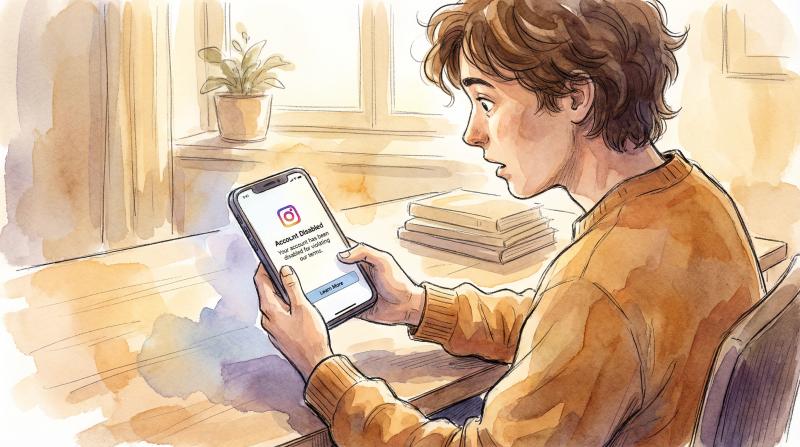
If you're reading this, you're probably desperate for answers. Good news: disabled Instagram accounts can be recovered, and we're going to walk through every method that actually works in 2026.
This isn't a generic guide. We've compiled real recovery methods based on what people have successfully used (including some lesser-known tactics that Instagram doesn't openly advertise). We'll cover why accounts get disabled, the official appeal process, backdoor recovery methods when standard appeals fail, realistic timelines, and how to protect yourself from future bans.
Quick Answer: How to Appeal a Disabled Account in 2026
Looking for Instagram's appeal form? Heads up: Meta retired the old public web form — links that used to host it now just redirect to the Help Center homepage. As of 2026, here's what actually works:
1. Appeal inside the app (the main path). Log in with your disabled account's credentials. When the “account disabled” screen appears, follow the on-screen prompts and tap Request a Review. This is the only appeal route Instagram officially documents on its disabled accounts help page.
2. Watch the email tied to your account. Instagram's follow-ups — including selfie-code and ID verification requests — arrive by email, usually from security@mail.instagram.com. Those verification steps are covered in detail below.
3. Don't pay anyone who promises recovery. Nobody can skip Meta's queue. “Account recovery services” selling appeals are scams that target exactly this desperate moment.
The rest of this guide covers how to write an appeal that actually gets approved, realistic timelines, what to do when nobody responds, and the lesser-known recovery routes when the standard appeal fails.
Post through official APIs only
post bridge publishes through each platform’s official API, never browser automation, to Instagram, TikTok, X and 7 more platforms. Steady, human-paced posting from one dashboard.
Schedule posts safelyDisabled, Suspended or Banned? Check Which One You Have
People use these words interchangeably, but Instagram treats them as different states, and the fix depends on which one you are in. Read the exact message on your screen before you do anything else. That wording is your diagnosis.
| What you see | What it means | Your move |
|---|---|---|
| "Your account has been disabled" when you log in | Instagram switched the account off | Request a review in the app right away |
| An email and in-app notice that your account is suspended | Instagram paused the account and may allow an appeal | Follow the on-screen appeal steps before the stated deadline |
| A notice that your account was removed or permanently banned | A final decision | Standard appeals are mostly closed; try identity verification early |
| You can log in but cannot post, comment or like | An action block, not a ban | Wait it out, usually 24 to 72 hours |
| Reach dropped but the account works normally | Possible content restriction | No appeal channel; check Account Status |
| Password or email changed, logins you do not recognize | Your account was hacked | Go to instagram.com/hacked |
The states that get mistaken for a ban
If you can still log in, your account is probably not disabled, suspended or banned:
- Action blocks stop you from posting, commenting or liking for a day or a few after fast or repetitive activity. They lift on their own. Stop the activity that triggered it and wait.
- Reduced reach with a working account is not an enforcement you can appeal, unless Account Status shows a restriction.
- A hacked account needs the recovery flow at instagram.com/hacked, not an appeal.
Check Account Status in the app
If you can log in, Instagram shows its own record of actions against you. Open Settings and activity and find Account Status (search for it in Settings if you cannot see it). It lists removed content, any restriction on how your account is recommended, and a Request a review option where one is available. Your Support Inbox, under Help, keeps every violation notice Instagram has sent you.
If your problem is a suspension rather than a disabled account, our guide to the Instagram suspension appeal window covers the 30-day and 180-day screens.
Why Does Instagram Disable Accounts?
Instagram doesn't randomly disable accounts. There's always a trigger, though sometimes it's an incorrect one. Understanding the "why" helps you craft a better appeal.
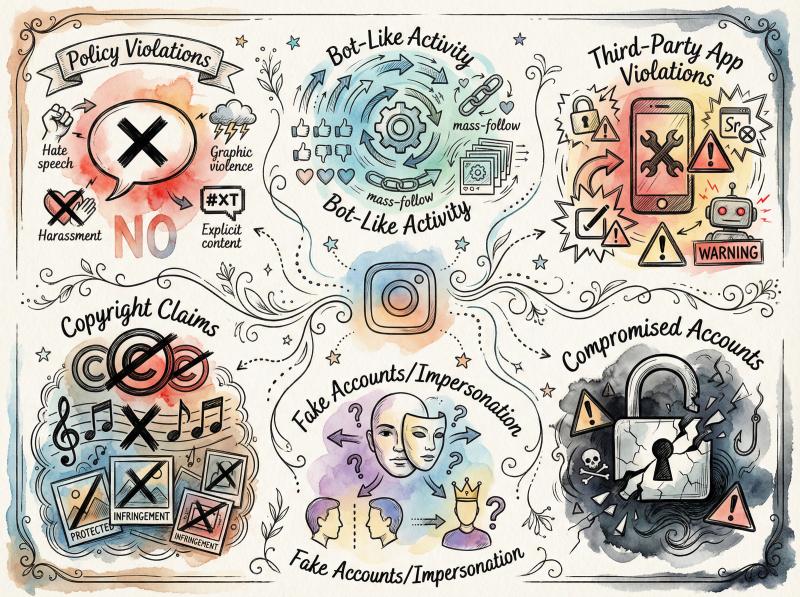
What Gets Instagram Accounts Disabled?
Policy violations are the biggest culprit. Research shows that hate speech, explicit content, graphic violence, harassment, or scam posts can trigger immediate disables. Copyright violations (using protected music or images without permission) are another frequent trigger.
Bot-like activity sets off Instagram's security systems. Mass following and unfollowing, posting identical content across multiple accounts simultaneously, or logging in from different countries within hours raises red flags. Research indicates that sudden engagement spikes or repetitive messaging patterns look like spam to Instagram's algorithms.
Third-party app violations are serious. Using unofficial apps that aren't approved by Instagram (auto-like bots, follower boosters, sketchy growth tools) often results in bans. These tools violate Instagram's terms, and connecting them to your account is risky.
For context: Tools like Post bridge use Instagram's official API and stay within platform limits, which is very different from abusive bots. We built our Instagram scheduler specifically to respect rate limits and avoid triggering security flags.
Copyright claims can accumulate quickly. Multiple copyright reports against your posts will likely disable your account. One or two violations might get warnings, but Instagram takes intellectual property seriously.
Fake accounts or impersonation trigger verification requirements. If Instagram suspects you're not a real person or you're pretending to be someone else, they'll disable pending verification. Malicious reports from others claiming you're an impostor can also cause this.
Underage users face automatic removal. Instagram requires users to be 13 or older. Accounts found to belong to someone below the age limit get taken down (though you can prove age via ID in an appeal).
Compromised accounts sometimes get disabled for protection. If someone hacks your account and starts spamming or violating rules, Instagram might disable it for safety.
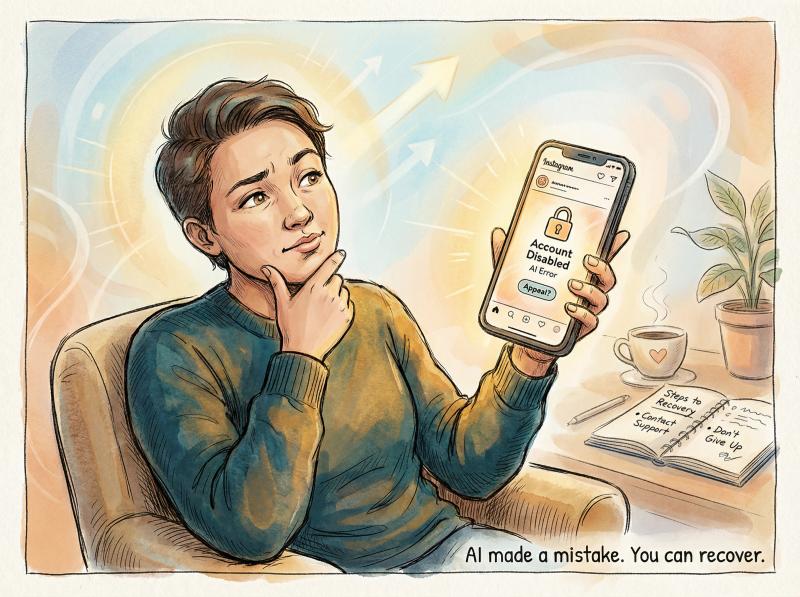
Here's the reality: many account disables are mistakes made by Instagram's AI. If you're confident you did nothing wrong, stay calm and determined. Plenty of users successfully recover accounts after false flags.
What to Do Immediately After Instagram Disables Your Account
Panic doesn't help. Take these immediate actions to document the situation and set yourself up for success:
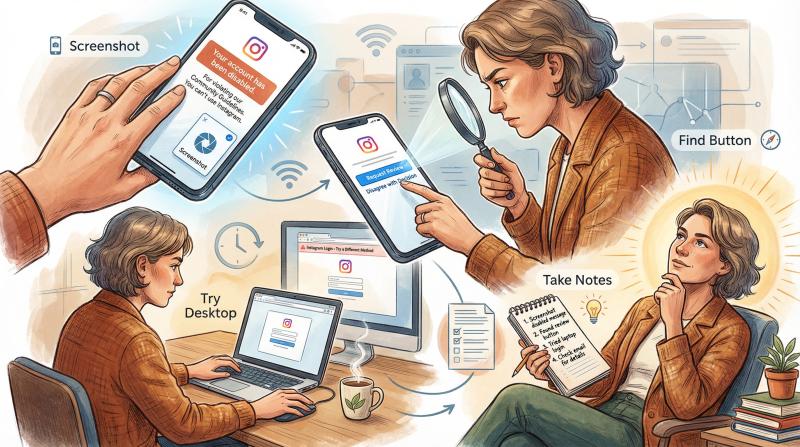
Screenshot the message immediately. When you try to log in, Instagram shows a notification like "Your account has been disabled for violating our terms" or "We suspended your account." Capture this. It's proof of what happened and might be useful later.
Look for an appeal button right on that screen. Sometimes the disable notice includes a button that says "Disagree with Decision" or "Request Review." If you see this option, use it immediately. This is the fastest path to appeal through the app itself. Not everyone gets this option, and Instagram usually only shows it once.
Try different devices and browsers. The ability to appeal or the information shown can differ between the mobile app and desktop web. Attempt to log in via Instagram's website on desktop, or a different phone, to see if you get an appeal prompt there.
Don't rush to create a new account yet. Your first instinct might be to start fresh and move on. Hold off. Creating another account immediately could violate Instagram's rules if your first account was banned for serious violations. Plus, if you plan to appeal, focus on that process first.
Stay calm and gather information. Write down anything you remember leading up to the disable. For instance, "Posted a video about X at 3PM, then got logged out at 5PM" or "Received a warning about a comment last week." This timeline can help if you end up chatting with support.
Also, check your email inbox. Instagram often sends an email to the address on file, which might contain info about the ban or steps to appeal. Search for subject lines like "Instagram Account Disabled" or "We've suspended your Instagram account."
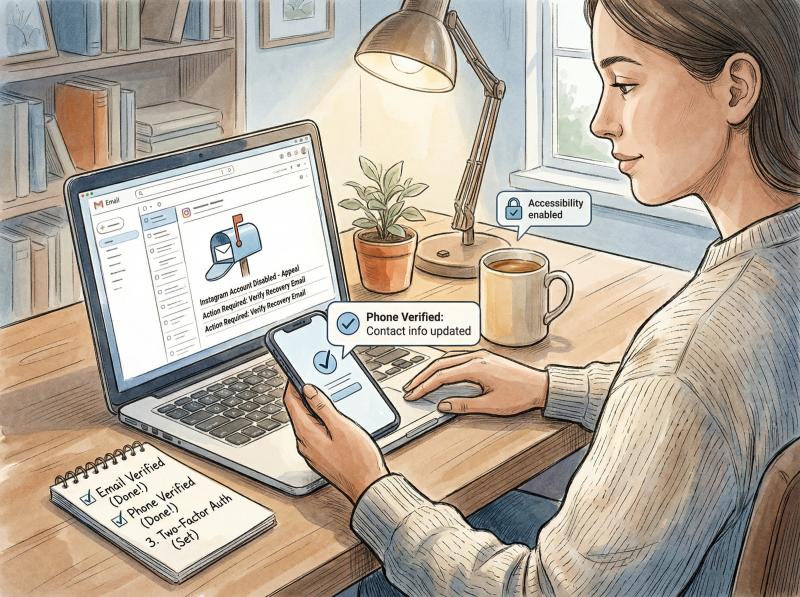
Lastly, ensure you can still access the email and phone number linked to your Instagram. If you get a chance to appeal, you'll need to receive codes or messages. If those contact points are outdated, update them in your Facebook/Meta account center if possible.
How to Submit an Instagram Disabled Account Appeal
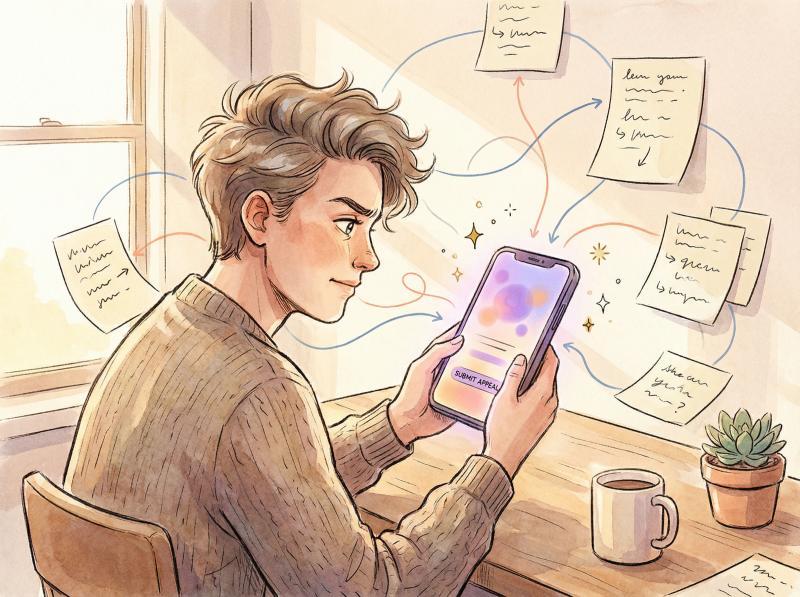
Instagram's official policy is straightforward: if you believe we made a mistake, you can request a review. In 2026, the process has evolved. Many legacy appeal forms have been retired in favor of an in-app workflow.
How to Use Instagram's In-App Appeal (Request Review)
If the login screen shows a "Request Review" option, tap that immediately. Instagram will typically walk you through a few steps to submit an appeal. You may need to enter some account details again (username, email) and a short message explaining the situation.
Be concise, polite, and factual in that message. Studies show:
- State that you believe your account was disabled in error
- Assert that you've followed Instagram's guidelines (if true) or that any violation was unintentional
- Pledge to adhere to the rules going forward
For example: "Hello, I believe my account was disabled by mistake. I've read the guidelines and I'm careful to follow them. I haven't posted any prohibited content or engaged in spam. Please review my account again. Thank you."
Keep it professional. Avoid all-caps rants or emotional appeals. The person reading should feel you're a reasonable, genuine user.
Once submitted, you should see confirmation that your appeal was received. Now you wait. Review times can range from a few hours to a few days for this in-app appeal. According to Instagram's guidance, don't spam the button or submit multiple requests. Decisions on these reviews are usually final, so you get one shot with in-app appeal.
If the in-app appeal succeeds: You'll get a notification (and likely an email) that your account has been restored. Be sure to log in, check everything, and add extra security like two-factor authentication.
If you get a denial: Instagram will usually say something like "We've reviewed your info and unfortunately we can't restore your account." At this point, the in-app route is closed. But don't give up. You still have other methods to try.
Instagram's Appeal Form: What Happened to It (and How to Fill One Out if Offered)
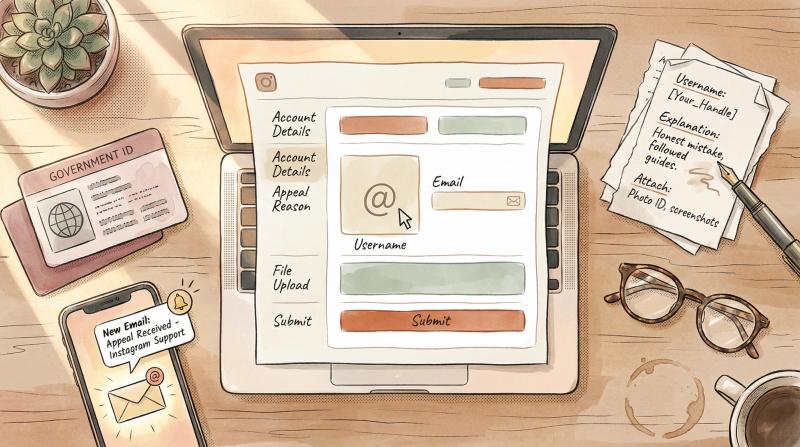
Instagram's Help Center used to host a public “Account Disabled” appeal form, but Meta has retired it — the old form links now redirect to the Help Center homepage. The in-app Request a Review flow replaced it. That said, some people are still routed to a web form from Instagram's emails or from the official disabled-accounts page, depending on account type and region. If you're offered one, here's what it asks for:
On this web form, you'll provide:
- Full Name (use the name associated with the account; it should match your ID if possible)
- Email Address (make sure you have access to this inbox)
- Instagram Username (double-check spelling; if you have multiple accounts, be sure it's the correct one)
- Mobile Number (if requested; include country code)
- Appeal Explanation (this is the important part)
Similar to the in-app message, write why your account shouldn't be disabled. Keep it clear and sincere. For example: "I believe my account was disabled by mistake. I have not intentionally violated any guidelines. Please review and reactivate my account."
If you suspect a specific reason (e.g. a post was misinterpreted or a competitor falsely reported you), you can briefly mention that, but avoid long-winded arguments.
After hitting Send, you should see a confirmation on the page that your appeal was submitted. Shortly after, you'll receive an email from Instagram Support at the address you provided. This email is crucial. It often contains further instructions.
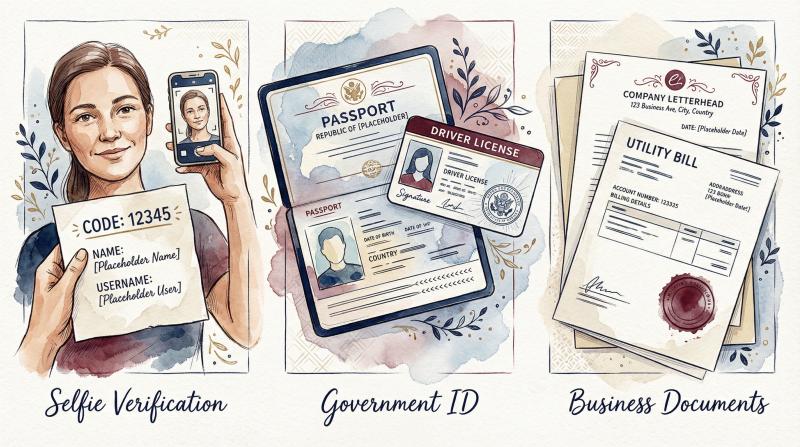
Be prepared to verify your identity. In many cases, Instagram will ask you to prove that you're the owner of the account and a real person. Common verification steps include:
Verification Type - What's Required - Purpose
- Selfie with Code - Photo of yourself holding a handwritten paper with unique code, name, and username - Confirms you're a real person matching account info
- Government ID - Passport, driver's license, or national ID card - Matches name on account and ensures age compliance
- Business Documents - Company letterhead, utility bill, or registration document - For business accounts using Instagram's business features
Complete whatever verification is asked as soon as possible. Email the photos or upload the docs following the instructions from Instagram's email. After that, it's another waiting game for Instagram to review and respond.
Typically, you'll hear back within 1 to 5 business days after sending your verification, though times can vary.
Important: While waiting, do not submit the form repeatedly on the same day. It's fine to send a follow-up appeal if a week or more passes with no response, but sending the form over and over on the same day can flag you as a spammer. Patience is hard in this situation, but it's necessary.
How to Recover a Hacked Instagram Account That Got Disabled
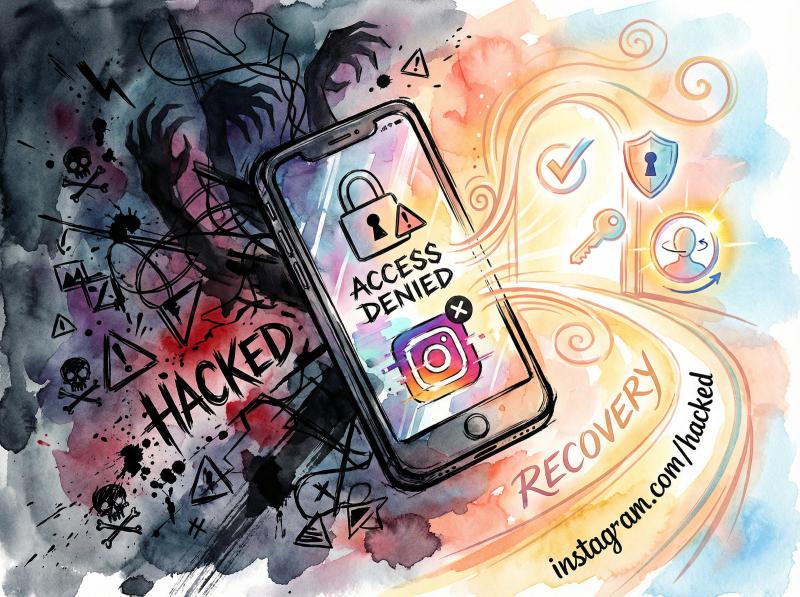
If you suspect your account was disabled due to hacker activity (strange posts or a password change you didn't do), Instagram has a special recovery route. They introduced a Hacked Account Recovery hub at instagram.com/hacked.
Even if you're not 100% sure it was a hack, some users choose this path when a standard appeal isn't making progress, because it can lead to human verification steps (like selfie video) that may result in reinstatement.
To try this method:
① Go to Instagram's "Get Help Logging In" or the instagram.com/hacked page (you might need to do this in a browser)
② It will ask, "What's happening with your account?" and give options like "I forgot my password," "My account was hacked," "My account was disabled" etc. Choose the option that your account was compromised or hacked
③ Follow the prompts. You might need to enter your username and last known password or email. Instagram will then guide you through verification steps. Commonly, they might send a login link to your email or ask you to take a video selfie turning your head to verify you're a real person
④ If the system determines your account was likely compromised, they will eventually restore access to you via a password reset
This method is primarily if an unknown party caused the violation. If you were banned purely for a content violation, the hacked flow might just tell you the account is disabled. But some folks have reported success by claiming their account was hacked even when it wasn't, essentially to get a second chance via a support agent.
Use your best judgment here. It's not exactly honest to claim "I was hacked" if you weren't, but the unfortunate reality is Instagram's support sometimes responds more if a hack is mentioned.
What to Do If Instagram Doesn't Respond to Your Appeal
After submitting appeals and verifications, you should eventually get an email decision. If 5-7 business days have passed with no response, consider these follow-ups:
Resubmit the appeal form once after a week. There's a chance the previous request got lost or stuck. Keep your message consistent (or even more clearly written).
Email Instagram Support directly. In the past, users have emailed Instagram at addresses like support@instagram.com or security@mail.instagram.com. You can try forwarding your case ID or previous emails to these addresses with a polite note. Honestly, the response rate is low, but it costs nothing to attempt. Include your username and the fact that you've already submitted the form.
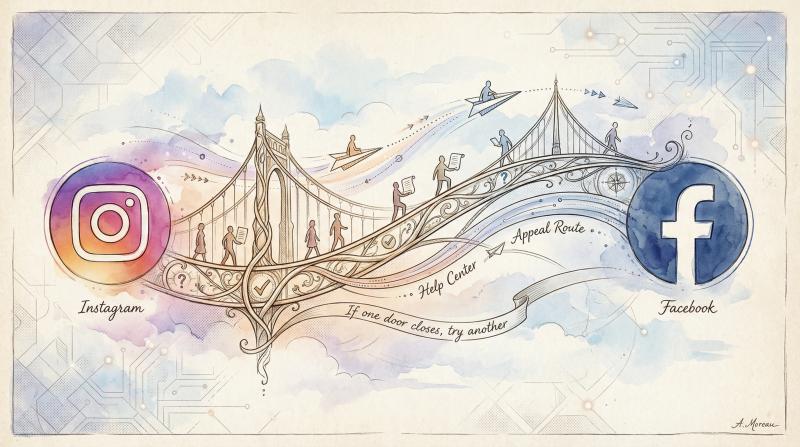
Appeal via Facebook Support (if linked). If your Instagram was connected to a Facebook account, sometimes submitting a report through Facebook can reach someone. On Facebook, go to the Help Center and find "Disabled Instagram account" in the Instagram section. There may be a form or at least guidance that mirrors what you've done, but occasionally it gives a different contact channel.
If you eventually get an email saying your account won't be restored (denial of appeal), then you should turn to the alternative methods below.
How to Recover Instagram Account When Appeals Fail (Advanced Methods)
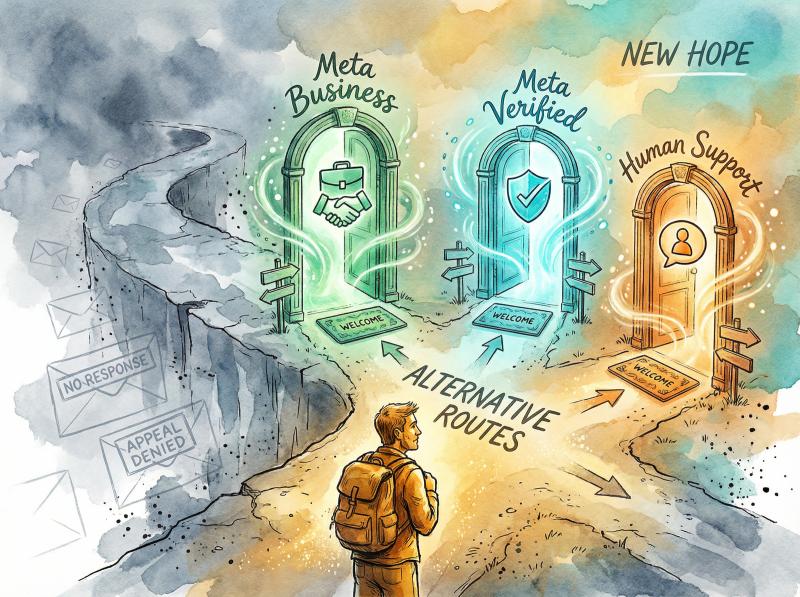
Unfortunately, many people find the official appeal process frustrating. You might wait days only to get a generic denial, or no response at all. If you're hitting dead ends, don't lose hope.
In 2026, a couple of alternative recovery methods have emerged that have helped a lot of users, especially creators and business accounts, get their disabled Instagram accounts back. These involve reaching a real human at Meta (Instagram's parent company) through other channels.
How to Use Facebook Business Support to Recover Instagram
If you have ever run Facebook or Instagram ads, or have a Facebook Business Manager account tied to your Instagram, you may be able to access live support chat. Meta tends to prioritize users who are business customers or advertisers.
Here's how you can try this route:
① Go to the Meta Business Help Center and log in with your Facebook account (the one linked to your Instagram, if applicable)
② Look for a Support or Help section. Often, there's a "Contact Support" or "Chat" option if you have an active ad account
③ When you start a chat, you'll typically first talk to a bot. Select options related to Instagram account issues. For example, it might ask what issue: choose something like Instagram disabled account or My Instagram was deactivated
④ Eventually, you should be connected to a human support agent (or at least be able to submit a support ticket)
⑤ Explain your situation briefly: e.g. "Hello, my personal Instagram account @YourUsername was wrongly disabled for 'violating terms'. I already submitted the in-app appeal but haven't heard back. This account is important to me/my business. Can you help check the status or escalate this appeal?"
Be prepared to provide your Instagram username and possibly the email/phone linked to it. The support agent might say it's not their department, but often they can escalate it internally.
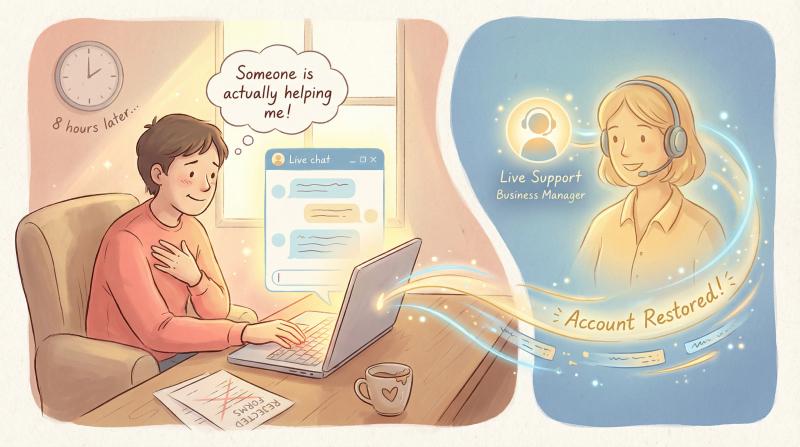
Many users have had success with this, especially if you emphasize that it's affecting your business or advertising efforts (without lying; if you do use it for business, mention that). Meta's reps have the ability to forward your case to specialized teams.
Success Story: A creator with a disabled account reported that using Facebook Business chat got their case escalated, and their Instagram was restored in 8 hours after being ignored for weeks via regular appeals. The key is reaching a person who can review your case.
If you don't see the live chat option, it might be because your account doesn't meet the criteria (e.g. no ad spend). In that case, consider the next method.
How Meta Verified Can Help Recover Disabled Accounts
This is somewhat of a last resort, but has proven extremely effective in 2023-2026: essentially, pay for Meta Verified to get support. Meta Verified is a subscription that offers account verification and direct support for Facebook/Instagram.
Here's how you can use it to save your disabled account:
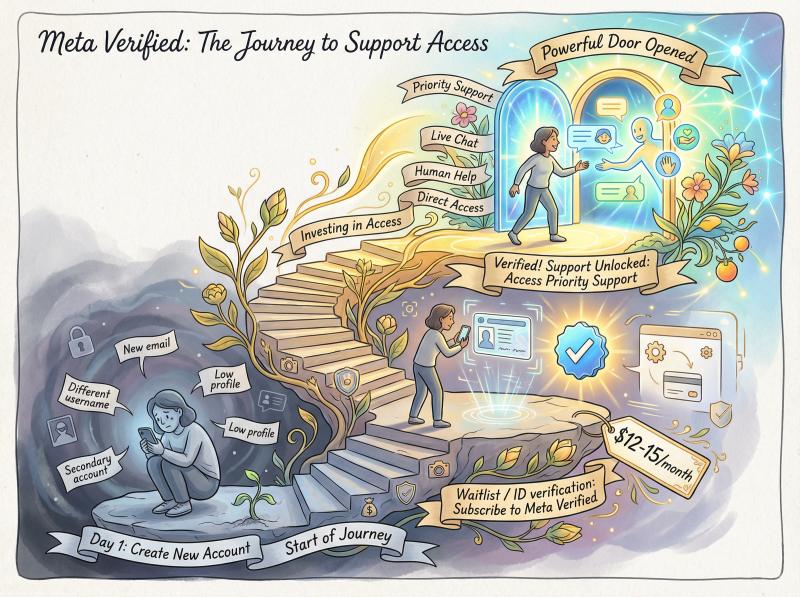
Create a New Account (if needed). If your Instagram is completely inaccessible, you'll need a different account to subscribe to Meta Verified (since you obviously can't verify a disabled account). One way is to create a fresh Instagram account (or use a secondary account you might have). Alternatively, you can use a Facebook account for this purpose.
Important: If you make a new IG, keep it low-profile to avoid it getting instantly flagged too. Use a new email and don't reuse the exact username of your old account.
Subscribe to Meta Verified. Meta Verified costs around $12-15 USD per month. You'll have to provide a government ID for verification and meet certain requirements (age 18+, etc.). Go into the Instagram app settings of the new account and find Meta Verified to start the process. It might put you on a waitlist or ask for ID right away. (If Instagram doesn't show the option, try on Facebook. Facebook's Meta Verified also grants Instagram support.)
Contact Support via Meta Verified Perks. Once you're Meta Verified, you unlock access to priority support. In the app, go to Settings → Help → something like "Get Help" or "Meta Verified support." There should be an option to chat with support or submit a ticket as a verified user.
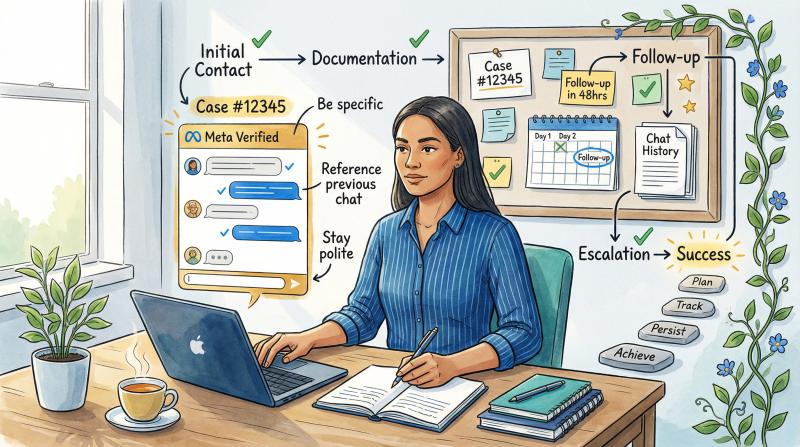
Raise Your Disabled Account Issue. Tell the support rep your main account was disabled unfairly and you'd like them to review it. Provide the username of the disabled account. Be ready to answer account ownership questions.
Some people recommend not immediately confessing the account was legitimately disabled for guideline violations. Instead, you can say you're not sure why it was disabled or suggest it might have been a mistake/hack. The reason is, if you outright say "I posted something against the rules, but I'm sorry," the support agent might just say "nothing we can do." It's often more effective to maintain that you didn't violate policies (unless you clearly did, in which case honesty is your only route).
If the first support agent can't help, don't panic. Often they create a ticket and escalate to a specialized team. Get the case number for your reference.
Follow Up and Be Persistent. If you don't hear back in a day or two, use the Meta Verified chat again and reference your case number, politely asking for an update. The Verified support tends to actually have a line to internal teams, so they can poke for status.
This method costs money (you can cancel the subscription after a month, once your issue is resolved), but it has a high success rate. In fact, many users who had been waiting for months got their accounts back within days by doing this.
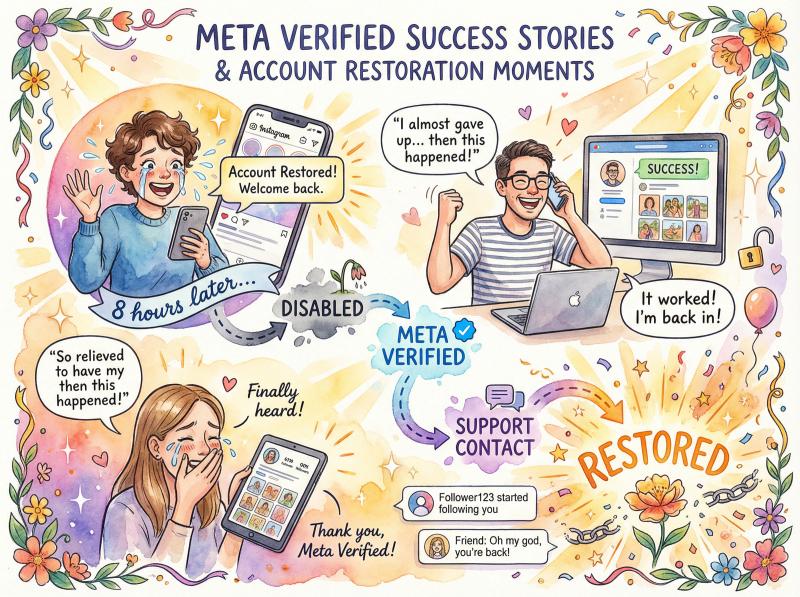
Multiple users have reported success with this approach. Accounts that had been "permanently disabled" with no appeal left were restored after purchasing Meta Verified and convincing support that the ban was a mistake. Some even pretended their account was hacked in follow-up conversations with support, which prompted Instagram to reinstate the account within hours.
Others have confirmed similar experiences: "I got my Instagram account back in less than 8 hours after it being disabled for over a year by using Meta Verified support".
While we do not condone abusing support or lying, it speaks to the reality that paying for Meta Verified gets you in touch with an actual support team. Use that opportunity wisely. Present your case calmly and provide any evidence if you have (like "Here's an email I got saying my account was disabled for XYZ, I believe this is a mistake because..."). The goal is simply to get a human to genuinely re-review your account.
Important: Meta's policy technically says they can't discuss one account's details via another account for privacy reasons. If the support agent says "We can't help with an account that's not Meta Verified," your response should be that the account is disabled so you cannot verify it, and that you verified this new account specifically to get help. Most agents will still assist when you explain this, as they understand the situation.
Should You Use Instagram Account Recovery Services?
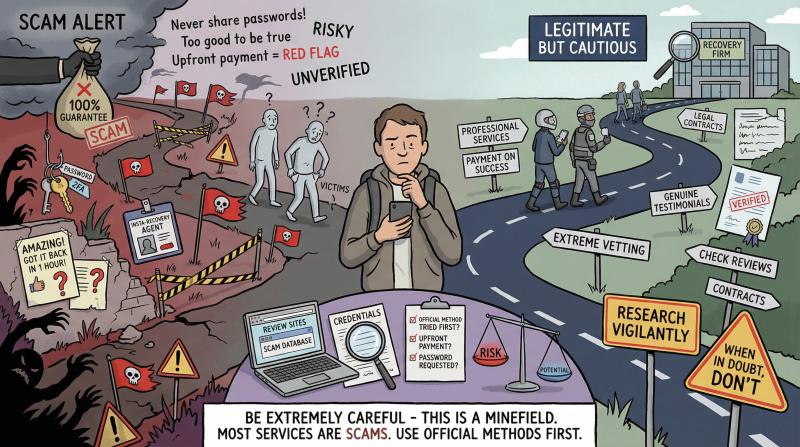
There are some third-party services and "Instagram account recovery experts" out there who claim to help recover disabled accounts (often found on forums or by Googling). Typically, what these services do is essentially the above steps: they have insider contacts or use business support channels to appeal on your behalf.
They might be useful if you're truly hitting a wall, but be very careful:
- Never pay upfront for an unproven service. Scammers prey on desperate people with disabled accounts. They might promise a 100% guarantee and then disappear with your money. Legit services usually only charge if they succeed, and even then, nothing can be 100% guaranteed.
- Don't give out your passwords. A real recovery service should not need your Instagram password (and you shouldn't have to create some "temporary login" for them). If someone asks for your credentials, it's likely a scam or hacker.
- Stick to reputable sources. Occasionally, well-known social media management firms or legal firms offer recovery help. Research their name, look for reviews.
For most individuals, you won't need this. Using the official appeals plus the Meta Verified trick covers what professionals would do. Save this option only if you've tried everything for weeks and absolutely cannot get through to a human.
Can You Take Legal Action or Contact the Oversight Board?
If all else fails and you strongly believe your account was wrongfully disabled (for example, censorship of art, or an algorithm mistake), there are a couple more paths, though success is limited:
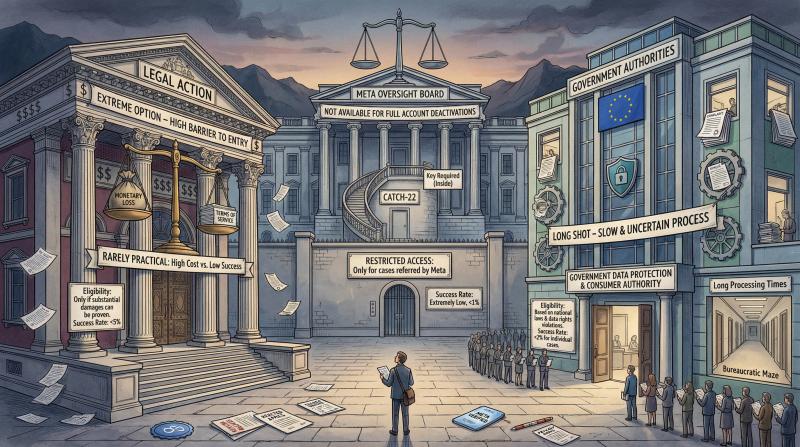
Meta Oversight Board. The Oversight Board is an independent body that reviews certain content moderation decisions by Facebook/Instagram. However, they currently do not take cases of full account deactivations unless it relates to content that was removed. You also need an active account to submit to them, which is a catch-22 if your account is disabled. So this isn't usually viable for disabled accounts, except in rare scenarios involving content takedowns or if Instagram specifically gives you an Oversight Board reference ID.
Legal Action. Some people have threatened or even pursued lawsuits or small claims court when a business account was wrongly terminated. This is extreme, and typically not worth it unless you lost something monetarily significant and can prove Instagram breached some contract. Instagram's Terms of Use make it clear they can disable accounts at their discretion. Still, in some locales, if you can show it was discrimination or something, maybe a legal letter could prompt a review. We only mention this for completeness. It's rarely practical.
State/Commonwealth Authorities. In a few anecdotes (especially in 2021-2022), users contacted their country's data protection authority or filed a complaint with a consumer protection agency about unfair account disabling. For instance, EU residents could contact a Data Protection office because your personal data (account) was taken away. The effectiveness is debatable, but occasionally these complaints forwarded to Facebook result in someone taking a second look at your case. Again, this is a long shot.
For most people, the combination of official appeals + Meta support channels will do the trick. The key is persistence and getting your case in front of a human reviewer.
How Long Does Instagram Account Recovery Take?
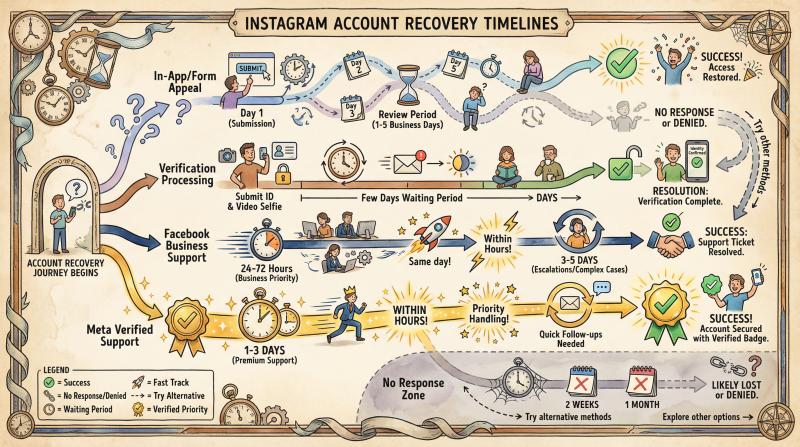
There's no one-size answer. It can range from hours to months, depending on the method and severity of the case.
Here are some rough timelines based on 2024-2026 data and user reports:
Recovery Method - Typical Response Time - Notes
- In-App or Form Appeal - 1-5 business days - If 2+ weeks pass with no response, assume it's a no-response and try other methods
- Verification Step Processing - Few days after submission - Check email (including spam folder) regularly
- Facebook Business Support - 24-72 hours (lucky cases) - Some reported same-day fixes; escalations may take 3-5 days
- Meta Verified Support - 1-3 days - Many see results within hours; may need follow-ups
No response at all? If a month has gone by with no word, it's likely either the appeals were lost or Instagram decided not to reactivate. At that point, you can either continue periodic appeals or consider moving on to a new account (and perhaps seek ways to retrieve content from the old one, if possible).
One thing to note: Instagram does not typically notify you if they decide not to restore your account (aside from an appeal denial message). It'll just remain disabled. They also do not inform you of any "time remaining" or such.
However, anecdotal evidence suggests that if an account stays disabled for something like over a year, the chances of recovery drop, since it may eventually be purged from their systems. Don't wait that long to exhaust your options.
How to Prevent Your Instagram Account From Getting Disabled Again
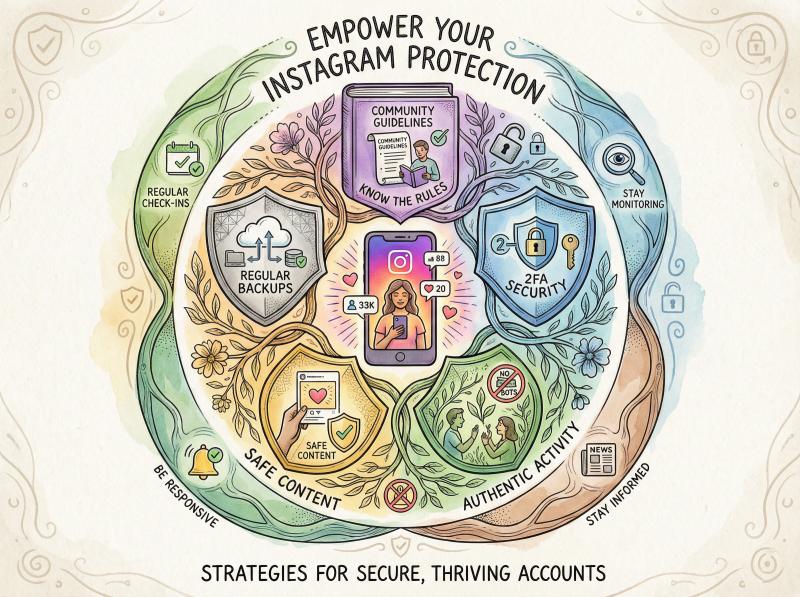
Going through this ordeal once is enough for a lifetime. Here are proactive steps to keep your Instagram account healthy and reduce the risk of being disabled in the future.
Know Instagram's Community Guidelines
It might sound obvious, but actually read the Instagram Community Guidelines and Terms of Use. Many bans happen because users didn't realize something was against the rules (for example, selling accounts, or certain kinds of promotions). Knowing the rules is the first defense.
What Content Triggers Instagram Bans?
Steer clear of posting anything that could be misinterpreted as hate speech, bullying, or sexually explicit. Even edgy jokes or controversial memes can be risky if someone reports them. If your niche is borderline (artistic nudity, etc.), be prepared for occasional takedowns and always appeal those immediately so your account isn't permanently flagged as a repeat offender.
Stop Using Automation Tools That Violate Instagram's Rules
If you used bots or sketchy growth hacks before, now is the time to stop. That includes automated follow/unfollow tools, comment pods, buying followers, etc. Instagram's AI is very sharp at detecting inauthentic activity.
Use legitimate methods to grow your audience. Using a social media scheduling tool like Post bridge to plan posts is fine. We use official APIs within rate limits, which is very different from abusive bots. Just don't try to, say, schedule 500 posts at once on a fresh account. That would look suspicious.
How to Safely Use Multiple Instagram Accounts
If you run multiple accounts or use Instagram for business outreach, make sure your accounts have an established history before scaling up activity. New accounts that suddenly perform lots of actions are prime disable targets.
We recommend in our account warmup guide to only add accounts to scheduling tools that have been active for a while (posting regularly for a few months, some followers, etc.). Sudden high-volume posting on a brand-new or long-dormant account is a recipe for getting flagged. Instead, ramp up gradually.
How to Secure Your Instagram Account With Two-Factor Authentication
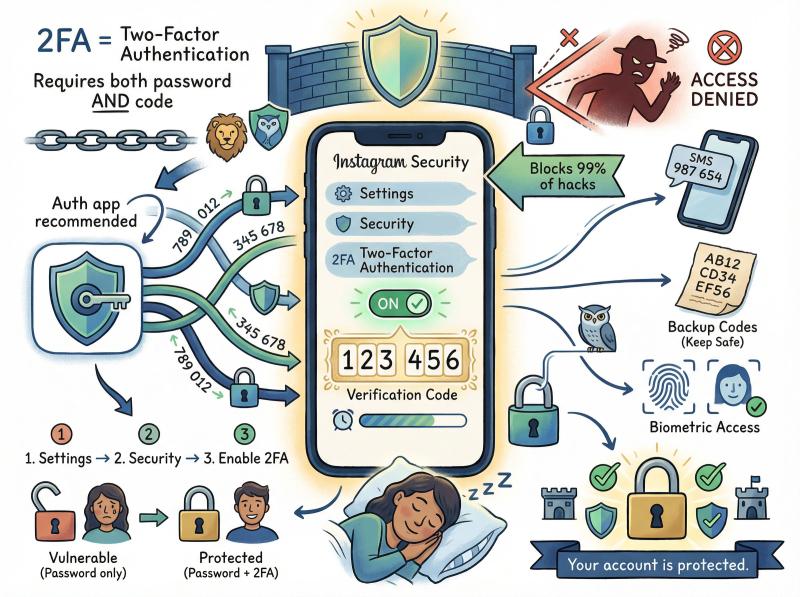
Immediately turn on 2FA once your account is back (or on any new account). This security feature requires a code from your phone at login, preventing most hackers from getting in. It's in Settings → Security → Two-Factor Authentication. Use an authenticator app or phone number. Either is fine (auth apps are even more secure). This will drastically reduce the chance that someone else can compromise your account and get it disabled.
Update Your Instagram Contact Information
Make sure your email and phone number on the account are current. That way if Instagram notices suspicious activity, you can quickly verify via a code to your email/phone and avoid a disable. Plus, if you ever get locked out, you have ways to recover access.
Which Third-Party Apps Are Safe for Instagram?
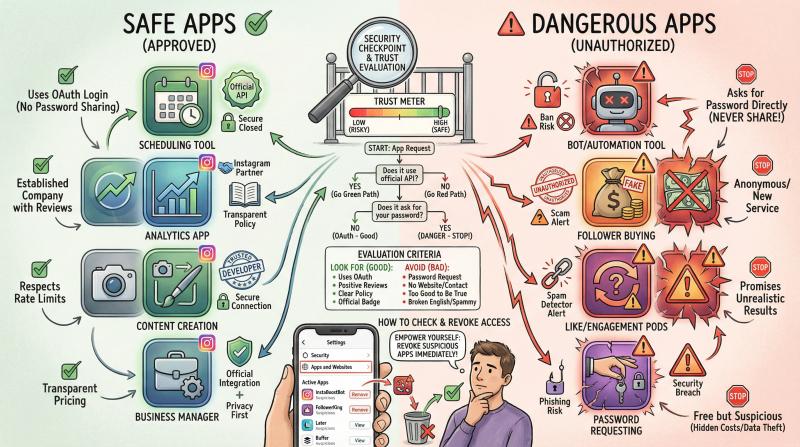
Periodically review what apps and websites are authorized on your Instagram (you can check this in Settings → Security → Apps and Websites). Remove anything you don't recognize or trust.
For the ones you do use, ensure they're well-known and comply with Instagram's platform policies. For example, Post bridge is designed to respect platform limits and has safety checks to avoid triggering Instagram's spam detectors. If an app is asking for your Instagram password directly (not through a Facebook/Instagram login window), that's a red flag.
How to Check for Suspicious Instagram Activity
Instagram allows you to see where your account is logged in (devices and locations). Check this in Settings → Security → Login Activity. If you ever see logins from places you don't know, secure your account (change password, log out of all devices, etc.).
Also, check your sent DMs occasionally. Hackers sometimes send spam DMs if they breach your account, which can lead to a ban.
Avoid Frequent Changes to Your Instagram Bio Link
This is a small tip. If you frequently change the URL in your bio to different domains (especially sketchy ones), Instagram might flag you as a spam account. Keep a consistent link, or use a link aggregator if needed. Rapid, frequent changes or using link shorteners that obfuscate the destination can look suspicious.
Always Appeal Instagram Content Removals
If you ever get a content takedown or a warning from Instagram for a post/comment, don't ignore it. If you think it's wrongful, appeal that single piece of content via the app. If it is a fair cop (you crossed a line), then treat it as a final warning and avoid repeating that behavior.
Accounts rarely get disabled on a first offense (unless it's severe). It's usually after multiple strikes. So don't let the strikes add up.
How to Backup Your Instagram Content
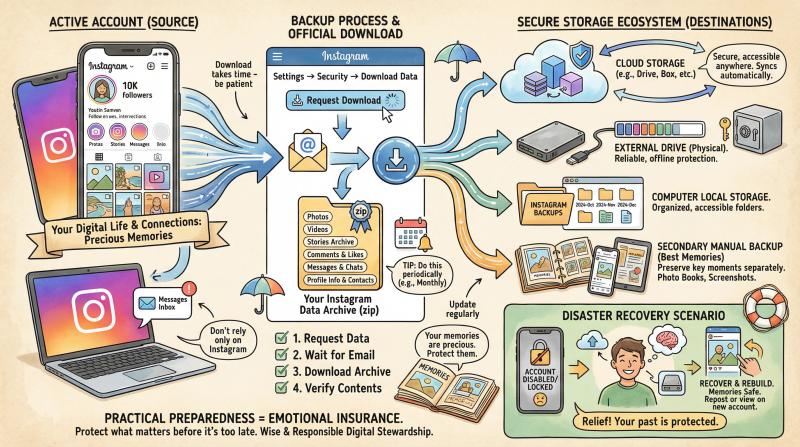
This won't prevent a ban, but it will save you heartache if one happens. Use Instagram's "Download Data" feature (in Settings → Security → Download Data) to periodically get an archive of your posts, comments, etc.
Also, consider keeping a separate backup of your best photos/videos. That way, if things ever went south, at least you haven't lost precious memories or work. You can always make a new account and repost your content (carefully) if needed.
One more thing: If you operate multiple Instagram accounts, avoid logging into all of them from the exact same device/IP in a short span, as this can link them together. If one gets banned for policy violations, sometimes Instagram will investigate the others. Use the official "Accounts Center" to manage multiple logins safely, or use separate devices if you have some risky niche accounts.
Instagram Disabled Account FAQs
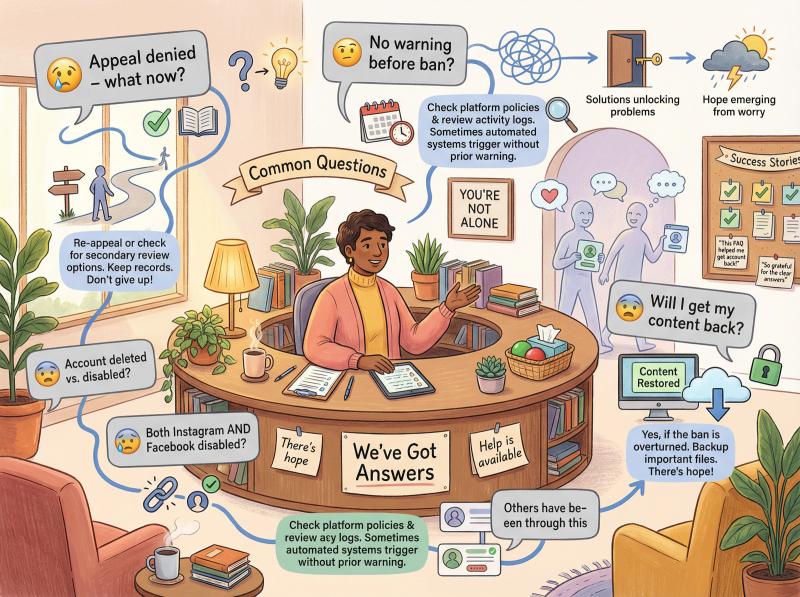
My appeal was denied and the email said "decision is final." Is there anything else I can do?
"Final" often just means that particular appeal was final. You can still try again, especially via the support methods. Give it a few days and submit a new appeal form with a fresh, calm explanation. Some users had success on a second or third try with a better worded appeal.
Also definitely try the Meta support channels. Those have overturned "final" decisions before. If after multiple attempts nothing works, then it may indeed be a dead end.
Instagram says my account is permanently disabled due to multiple violations. Should I bother trying?
Yes, you should still try if you genuinely feel something was off or you want a second chance. Sometimes "multiple violations" were accumulated in error (e.g. a bunch of false reports).
That said, if you knowingly did break rules several times (e.g. posting content that got removed repeatedly), Instagram will be less forgiving. In such cases, appeals often fail. You might need to accept the loss and create a new account, learning from the mistakes.
Just beware that if you truly were banned for severe violations (like hate speech or serious abuse), a new account could be automatically flagged if you repeat that behavior or even sometimes just for being the same person.
I never got a warning before the ban. Is that normal?
Unfortunately, yes. Unlike some platforms, Instagram often strikes without warning if a violation is deemed egregious or if an automated system flags you.
They do sometimes issue warnings (e.g. "Your post was removed for X, further violations may result in your account being disabled"), but not always. So even with no prior notices, you could be disabled and need to appeal.
Will I get my followers, photos, and DMs back after reactivation?
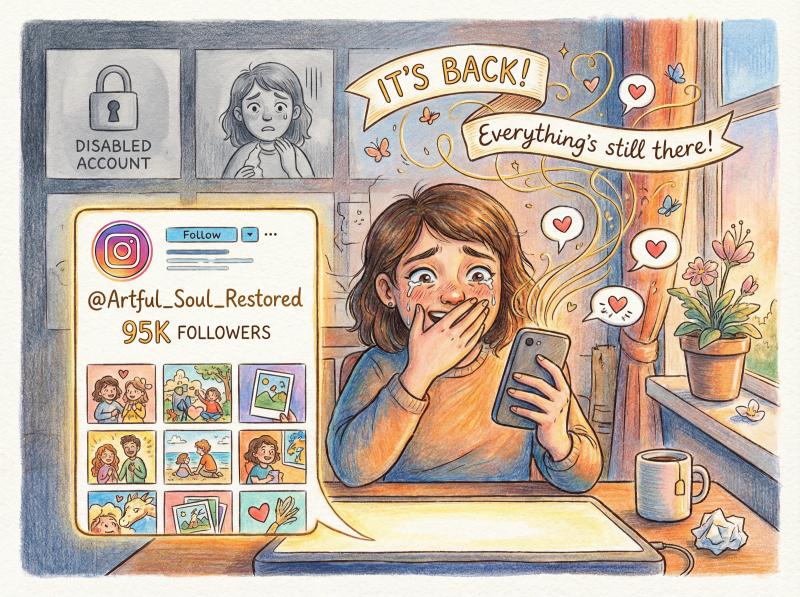
In almost all cases, yes. Your account is restored exactly as it was before, as if it was just locked away. People have reported that all their content was intact upon return. (One exception: if some specific posts were the cause, those might not return.)
It's a huge relief to log back in and see your profile whole again.
Instagram disabled my account and my Facebook account at the same time. What do I do?
This complicates things. Sometimes if the accounts are linked (especially via Meta's Account Center) and one gets banned for something severe, the other may be affected.
You should appeal both if possible. If Facebook is also disabled, try Facebook's appeal process for that. For Instagram, mention in your appeal that your connected FB was disabled too.
In this scenario, the Meta Verified method is tricky because if your FB is gone, you'll have to use a brand new account for Verified. Some users in this boat found it very hard to recover because any new account they made got flagged (possibly due to device/IP bans).
You might need to use a different device or network to even create a new account for contact. Focus on contacting Meta support directly (via email or business chat) to explain the situation.
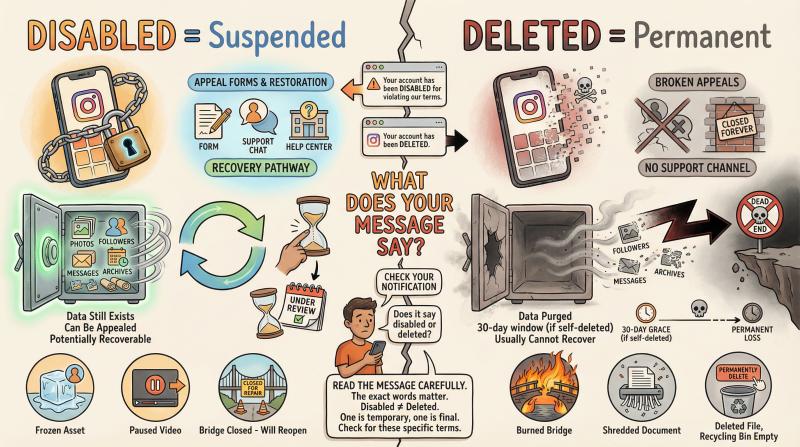
My account was deleted (not just disabled). Is that different?
If you chose to delete your own account, there's a 30-day window to change your mind by logging in. After 30 days, the account truly gets deleted and cannot be recovered.
However, people often use "deleted" and "disabled" interchangeably. If Instagram disabled it, they hold onto the data while it's under review. So unless you got a message explicitly saying the account was deleted, you're likely dealing with a disable/suspension which is recoverable via appeal.
Check the wording of the message: "disabled" = appeal possible; "deleted" = usually gone for good.
How can I prevent this from happening again if I get my account back?
Great question. In short: play by the rules, secure your account, and avoid anything that even smells like spam or bot activity.
We covered this in detail in the "Preventing Future Account Disables" section above. The biggest things:
- Enable two-factor authentication immediately
- Stop using any sketchy automation tools
- Keep your content within Instagram's guidelines
- Use legitimate social media scheduling tools that respect platform limits
- Gradually build up activity on new accounts (don't go from zero to 100 posts overnight) - follow our account creation guide
You Can Recover Your Disabled Instagram Account
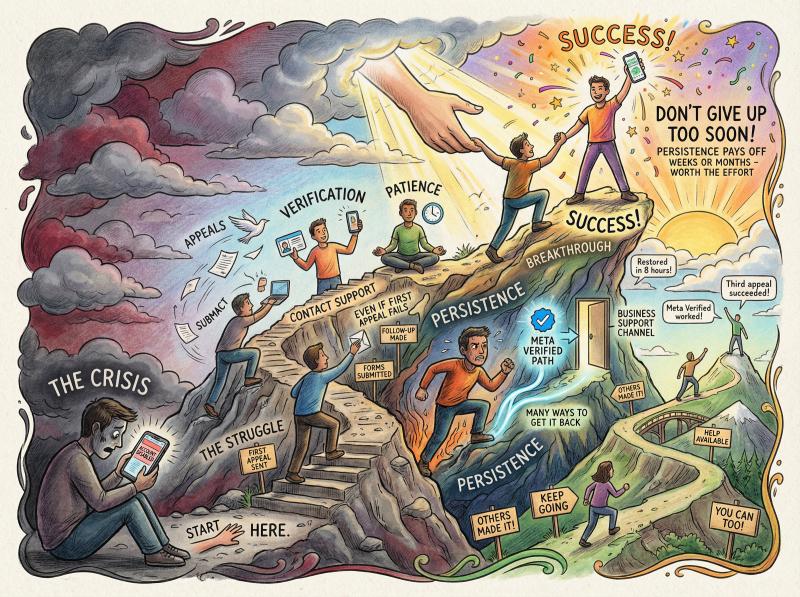
Having your Instagram account disabled is stressful, but as we've outlined, there are many ways to get it back, even if the first appeal fails.
In summary, start with the official in-app or form appeals, then escalate to getting real support involved (via Facebook Business or Meta Verified). We've seen countless cases where persistence paid off, with accounts reinstated after weeks or even months of effort.
The key is to not give up too soon.
Hopefully, you'll never need to go through this ordeal again. Take the preventive steps to safeguard your account, and always keep a backup of your content just in case.
Instagram is an important platform for many, whether for personal memories, creative expression, or business. It's worth fighting for your presence there.
Lastly, if you do recover your account (fingers crossed), consider sharing your story to help others. The more people document what worked, the more we all understand how to deal with Instagram's systems.
Good luck with your appeal, and we hope to see you scrolling your feed again soon with your restored account.
How to Manage Instagram Without Risking Another Ban
Once you get your account back (or if you're setting up a new one), you'll want to be extremely careful about how you manage it going forward. That's where smart automation comes in.
Post bridge is built specifically to help creators and businesses manage multiple social platforms without triggering security flags.
Here's what makes us different:
Why Official API Integration Keeps Your Account Safe
We use Instagram's official API, which means we're working with Instagram's systems, not against them. Unlike sketchy bots that scrape data or simulate human behavior, our Instagram scheduler integration is approved and follows all platform guidelines.
Post bridge Safety Features That Prevent Bans
We've designed the platform with account safety in mind:
- Rate limiting that respects Instagram's posting thresholds
- Account warm-up guidance so you don't trigger spam detection
- Smart scheduling that distributes posts naturally throughout the day
- Multi-platform support for 10+ networks (Instagram, TikTok, Facebook, LinkedIn, YouTube, Twitter/X, Pinterest, Threads, and Bluesky)
How to Build Your Instagram Presence Safely After Recovery
If you're managing multiple accounts or ramping up your social presence after a ban, Post bridge helps you do it the right way. You can:
- Schedule content across all your platforms from one dashboard
- Maintain consistent posting without manual effort following social media best practices
- Avoid the risky automation tools that got you banned in the first place
- Access our comprehensive growth guide for building your presence safely
Free Instagram Management Tools
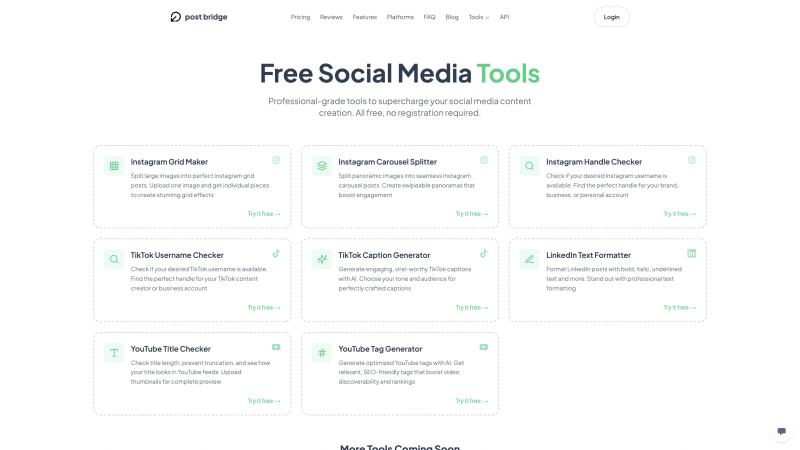
We also offer free Instagram tools to help you manage your account:
- Instagram Grid Maker - Plan your feed layout
- Instagram Handle Checker - Find available usernames
- Instagram Carousel Splitter - Split images for carousels
These tools help you create better content and manage your presence more effectively.
Ready to manage your social media safely? Start your free trial at Post bridge or learn more about our platform.
Your Instagram presence is too important to risk again. Do it right this time.
Related Resources
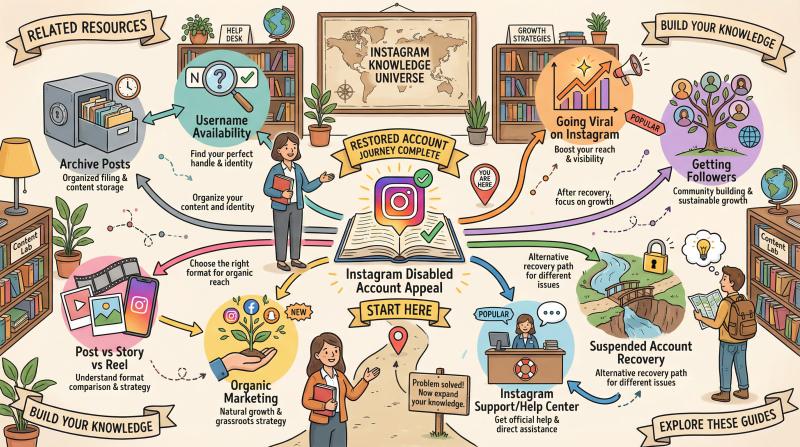
Looking for more Instagram help? Check out these guides:
- Instagram Support: How to Contact IG Help Center
- Suspended Instagram Account: Recovery Guide
- How to Go Viral on Instagram
- How to Archive Posts on Instagram
- How to Check if Instagram Username is Available
- How to Get 1K Followers on Instagram in 5 Minutes
- Instagram Post vs Story vs Reel: Which Works Best?
For business owners and creators, don't miss our guide on organic marketing for solo business owners.