
Finding the perfect Instagram username can feel like searching for a needle in a haystack. With over 2 billion monthly active users on the platform, most of the good handles are already taken.
What makes this frustrating? You might spend hours brainstorming the perfect username, only to discover someone else claimed it years ago.
Your Instagram handle is more than just a name. It's the first thing people see when they find you, it affects how easily you show up in searches, and it determines whether your brand looks consistent across every platform you use. Getting this right matters, especially if you're building a business or personal brand that people need to remember and find easily.
The good news? Checking if an Instagram username is available is actually simple once you know the right methods. This guide walks through every reliable way to verify username availability, what to do when your dream handle is taken, and how to avoid the common mistakes that waste time or put your account at risk.
Why Your Instagram Username Matters for Growth
Think about the last time you tried to find someone on Instagram. You probably typed their name into the search bar, scrolled through results, and hoped their handle was obvious enough to recognize. That's exactly the experience your audience has when they try to find you.
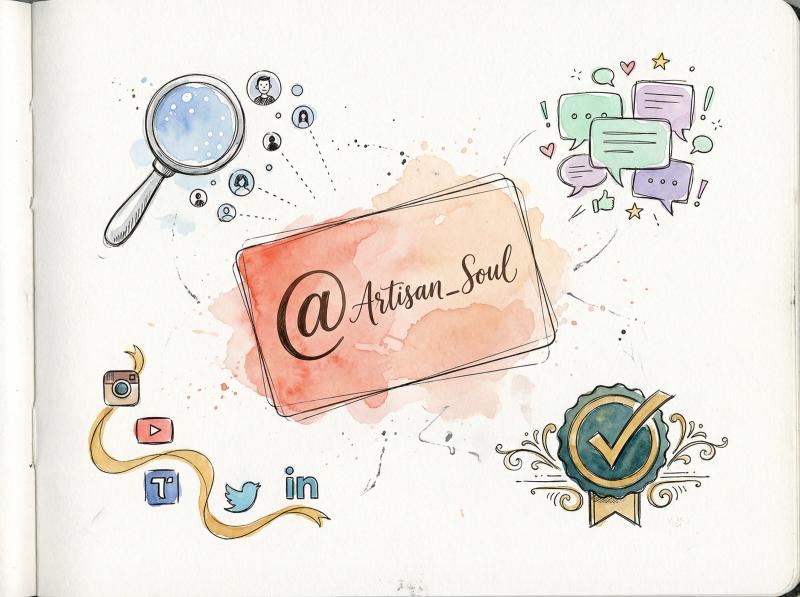
Your username impacts four critical things:
→ Discoverability:
Instagram's search algorithm prioritizes exact username matches. If someone searches for your brand name and your handle is completely different, you might not show up in the top results at all.
→ First impressions:
Your handle appears next to every comment you leave, every story you post, and every time someone tags you. It's your digital calling card on one of the world's largest social platforms.
→ Brand consistency:
Using the same handle across Instagram, TikTok, Twitter (X), LinkedIn, and YouTube makes it incredibly easy for your audience to find you everywhere. Inconsistent handles create confusion and make you harder to remember.
→ Trust and credibility:
A clean, professional username signals legitimacy. Random numbers, excessive underscores, or confusing variations make people second-guess whether they've found the real you.
Instagram Username Rules: Requirements and Restrictions
Before you start checking availability, understand Instagram's constraints:
- Usernames can be 30 characters maximum
- Only letters, numbers, periods (.), and underscores (_) are allowed
- No spaces or special characters like @, #, !, or &
- Each username must be unique across the entire platform
- Instagram assigns handles on a first-come, first-served basis with no reservations
- You can change your username, but only twice within any 14-day period
- URLs and domain names require prior written consent from Instagram
- Buying or selling usernames violates Instagram's Terms of Service (Meta filed lawsuits in 2025 enforcing this)
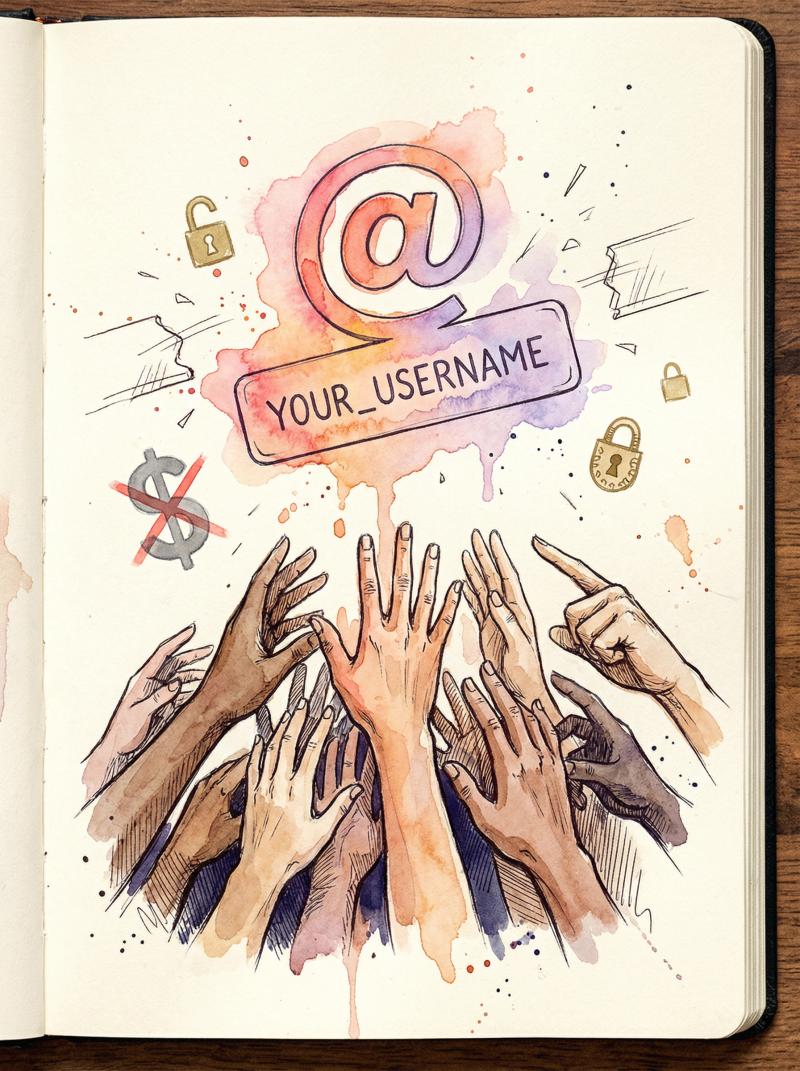
That last point is crucial. Don't waste money trying to buy a username from someone. It's against the rules, enforcement is getting stricter, and you risk losing both your money and your account.
Got the handle? Keep it active
New accounts grow fastest with steady posting. post bridge schedules your content to every platform you just claimed, from one dashboard.
Schedule your first postsMethod 1: How to Check Instagram Username Availability in the App
The most accurate way to verify username availability is using Instagram itself. Third-party tools can give you a quick preview, but Instagram's native checks are the only definitive answer.
How to Check Username Availability Using Instagram Search
On mobile:
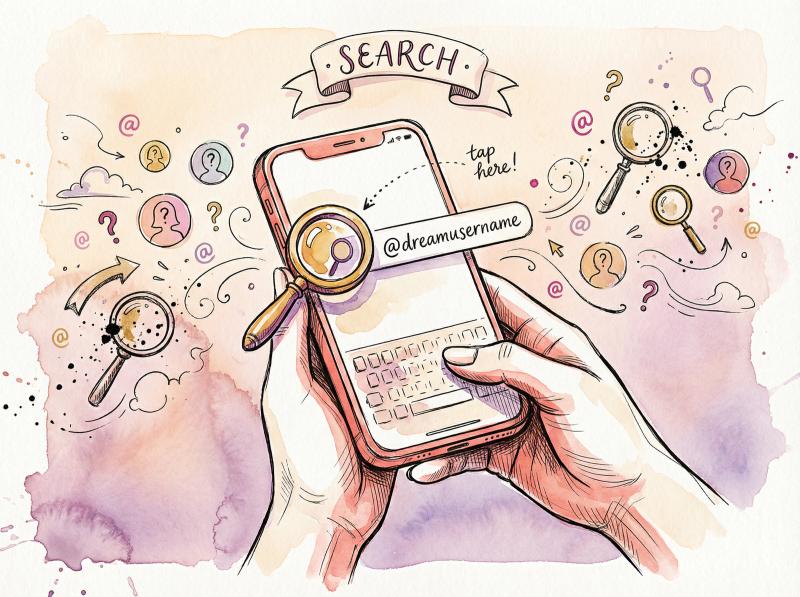
Open the Instagram app and tap the search icon (magnifying glass). Type the exact username you want in the search bar. Select the "Accounts" tab to filter results.
If you see a profile with that exact username, it's taken. Even private accounts show up in search results. If absolutely nothing appears, the username is likely available, though you'll need to confirm with one of the other methods.
On desktop:
Visit instagram.com and use the search bar at the top. Same logic applies: if a profile appears, the name is taken.
One thing to note: Some accounts don't appear in search due to privacy settings, shadowbans, or technical glitches. That's why you need a secondary confirmation method.
How to Check Instagram Username Availability with URL
This method is faster and more reliable than search.
Open any web browser and type: instagram.com/yourdesiredusername
Replace "yourdesiredusername" with the actual handle you want. If you see a profile (even if it's blank, private, or has zero posts), the username is taken. If you get Instagram's "Sorry, this page isn't available" error message, the username is likely free.
One small catch: Instagram shows the same error message for usernames that don't exist, accounts that were deleted, and accounts that were banned. So this method confirms unavailability but doesn't guarantee availability.
How to Verify Username Availability During Account Setup
This is the gold standard for checking username availability because you're asking Instagram's system directly.
If you already have an Instagram account:
Tap your profile picture → Edit profile → tap the Username field → type your desired username
Instagram checks availability in real time. If the username is available, you can save it immediately and it's yours. If it's taken, you'll see "This username isn't available. Please try another."
If you're creating a new account:
Go through Instagram's sign-up flow. When it asks you to create a username, type your desired handle. Instagram instantly tells you if it's available or not.
The takeaway? This method gives you the most authoritative answer you can get. When Instagram's internal system confirms a username is available and lets you save it, it's yours.
Method - Reliability - Speed - Best For - Limitations
- Search Function - Medium - Fast - Quick checks - Misses some private/shadowbanned accounts
- Direct URL - High - Very Fast - Confirming unavailability - Can't distinguish deleted from never-existed
- Edit Profile/Sign-Up - Definitive - Fast - Final confirmation - Requires Instagram account or sign-up process
Method 2: Free Instagram Username Checker Tool (Fastest Method)
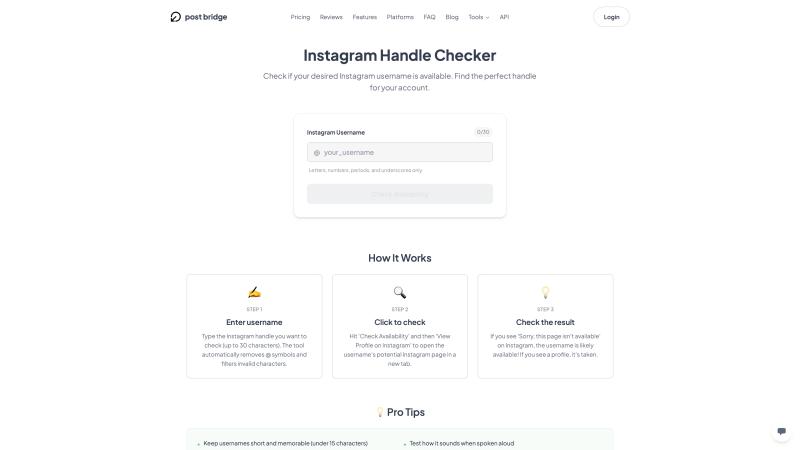
Checking usernames one by one inside Instagram gets tedious fast, especially when you're brainstorming variations. This is where Post bridge's free Instagram Handle Checker becomes incredibly useful.
How it works:
Type your desired username into the checker. It queries Instagram's systems to verify availability instantly. You get an immediate yes or no answer without logging into Instagram. If your first choice is taken, you can rapidly test variations like adding qualifiers (@getbrandname), separators (@brand.name), or location tags (@brandname.nyc).
Why this saves time:
Instead of manually typing each variation into Instagram's edit profile screen, you can test 10 different username ideas in under a minute. This speeds up the brainstorming process significantly.
Cross-platform checking:
Some username availability tools also check whether your desired handle is available on TikTok, Twitter (X), YouTube, and LinkedIn simultaneously. This helps you lock down the same username across every platform you plan to use, creating that consistent brand presence that makes you easy to find everywhere.
Safety reminder:
Never use any username checker that asks for your Instagram password or login credentials. Legitimate tools only need the username you want to check, nothing more. If a site requests account access, it's potentially a phishing scam.
Best practice workflow:
Use Post bridge's checker to pre-screen your top 5-10 username ideas quickly. Once you find an available option you love, confirm it one final time using Instagram's edit profile screen (Method 1, Option C) before committing. This two-step process is fast and foolproof.
Method 3: How to Monitor Instagram Usernames That Are Taken
Sometimes the username you want is taken by an account that barely posts, hasn't logged in for years, or just doesn't seem active. You might be tempted to wait it out, hoping the handle eventually becomes available.
Why usernames do occasionally become free:
- The current owner changes their username to something else. When someone changes their handle, Instagram typically holds the old username for approximately 14 days before releasing it to the public. During this holding period, you won't see the old username in use, but you also can't claim it yet.
- The account gets deleted. When users delete their accounts, Instagram doesn't always return the username to the available pool immediately. Sometimes it's locked permanently.
- Instagram removes completely inactive accounts. This happens occasionally when Instagram does purges, but there's no public schedule or guarantee.
Monitoring approaches:
You can manually search for the username or visit the profile URL every few weeks to see if anything changes. Some monitoring services claim they'll alert you when a specific username becomes available, though Instagram doesn't provide an official tool for this.
Reality check:
Monitoring can work as a long-term strategy, but don't put your Instagram plans on hold waiting for a specific username. Instagram has over 2 billion users. The likelihood of your exact preferred handle becoming available in the next few months is fairly low. It's usually faster and smarter to pick a solid alternative and get started building your presence immediately.
Why Some Instagram Usernames Show Available But Won't Work
You'll occasionally encounter a frustrating scenario: you search for a username and find nothing, you visit the URL and get an error page, but when you try to claim it in Instagram's settings, the platform says it's not available.
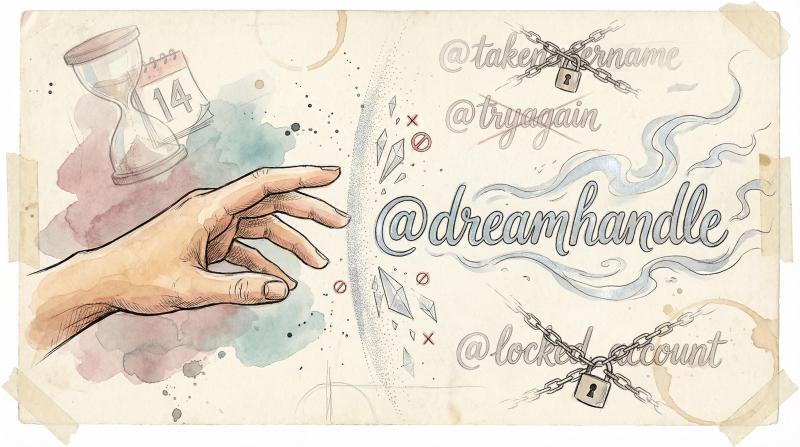
What's happening? Instagram reserves or blocks certain usernames for several reasons.
Instagram Username Hold Period After Changes
When someone changes their Instagram handle, Instagram doesn't immediately make the old username available to everyone else. The platform holds it for approximately 14 days to prevent bots from instantly sniping abandoned usernames.
During this holding period, the username won't appear in searches and the profile URL won't load, but you still can't claim it. You have to wait until the hold expires.
Deleted or Banned Account Usernames on Instagram
Instagram's Help Center states:
"If you delete your Instagram account, you may not be able to sign up again with the same username or add that username to another account."
Deleted account usernames often stay locked permanently. Banned account usernames almost never get released back into circulation. Instagram doesn't publish an exhaustive list of which deleted or banned usernames are permanently unavailable, so there's no way to know for certain without trying to claim it.
Instagram Username Policy Violations and Blocks
Instagram blocks usernames that contain offensive language, attempt to impersonate official Instagram accounts or public figures, include banned words, or consist of URLs or domain names without Instagram's prior written consent.
You won't be able to claim "instagram.official" or "instagramsupport" for obvious impersonation reasons. Similarly, attempting to use "yourwebsite.com" as a username will get blocked unless you have written permission.
Instagram Username Trademark Conflicts
If your desired username matches someone else's registered trademark and they've filed a trademark violation report with Instagram, the platform may restrict or block that username. This prevents brand impersonation and protects intellectual property.
Invisible Instagram Accounts Holding Usernames
Some accounts have zero posts, no profile picture, and minimal information. They don't show up easily in searches but technically exist. Others might be disabled temporarily or suspended, making them hard to find but still occupying the username.
There's no official appeal process for blocked usernames and no public lookup tool to see why a specific handle is unavailable. If you can't claim a username after trying through Instagram's edit profile screen, you need to move on to a variation or alternative.
What to Do When Your Instagram Username Is Already Taken
Most people encounter this problem: the perfect username is already claimed by someone else. Don't panic. You have plenty of options that still create a strong, memorable handle.
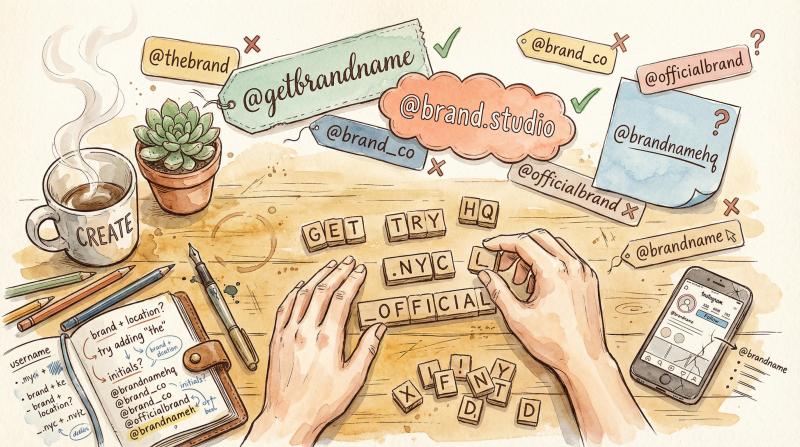
Strategy - Example - Professionalism - Best For
- Add Qualifiers - @getpostbridge, @trypostbridge - ⭐⭐⭐⭐ - Tech products, SaaS
- Use Separators - @post.bridge, @post_bridge - ⭐⭐⭐ - Personal brands, creative fields
- Add Keywords - @postbridge.design, @postbridge.nyc - ⭐⭐⭐⭐ - Location-based, niche-specific
- Abbreviate - @intltravelmag (from International Travel Magazine) - ⭐⭐⭐ - Long brand names
- Add Numbers - @martha95, @postbridge24 - ⭐⭐ - Last resort, use meaningful numbers only
How to Add Qualifiers to Instagram Usernames
Add a short prefix or suffix that sounds natural:
• get (example: @getpostbridge)
• try (example: @trypostbridge)
• use (example: @usepostbridge)
• meet (example: @meetpostbridge)
• hq (example: @postbridgehq)
• official (example: @postbridgeofficial)
• app (example: @postbridgeapp)
• co (example: @postbridgeco)
These qualifiers are clean, professional, and commonly used by brands that couldn't secure their exact name. Users recognize and trust them.
Using Periods and Underscores in Instagram Usernames
Add a single period (.) or underscore (_) to separate parts of your username:
- @post.bridge instead of @postbridge
- @post_bridge instead of @postbridge
Keep it to one separator maximum. Handles like @postbridge look unprofessional and spam-like. Simple separators work; excessive ones don't.
Adding Location or Industry Keywords to Your Username
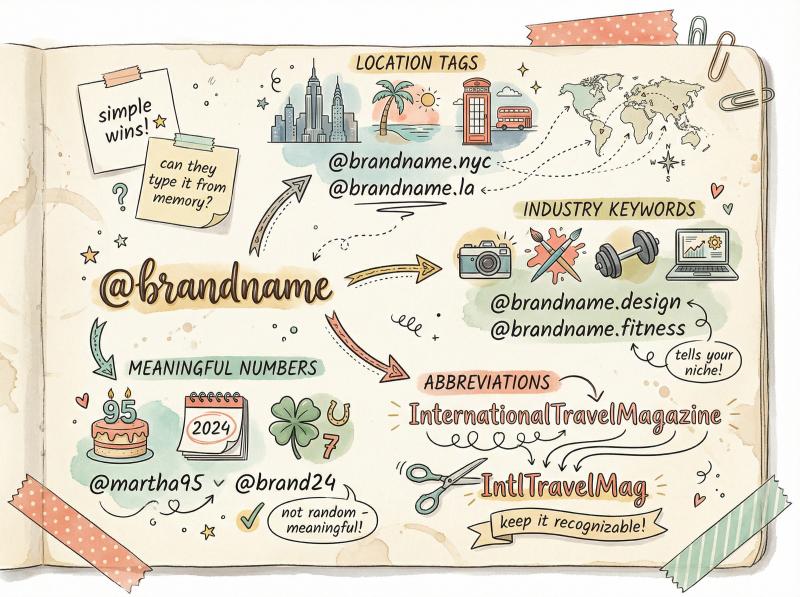
Include words that describe what you do or where you're located:
• Location-based: @postbridge.nyc, @postbridge.la
• Industry-based: @postbridge.design, @postbridge.studio
• Category-based: @postbridge.tools
• Profession-based: @alexsmith.fitness, @alexsmith.photography
This approach helps your username immediately communicate your niche or specialty, which can actually improve discoverability for specific searches.
How to Abbreviate Long Instagram Usernames
If your brand name is long, use a natural abbreviation:
- @InternationalTravelMagazine becomes @IntlTravelMag
- @ModernPhotographyStudio becomes @ModernPhotoStudio
Make sure your abbreviation is still recognizable and easy to understand. Avoid turning your name into an unrecognizable string of letters.
When to Use Numbers in Instagram Usernames
Random number strings (@martha472819) look terrible and unprofessional. But meaningful numbers can work:
- Birth year (@martha95)
- Company founding year (@postbridge24)
- Lucky number (@martha7)
- Meaningful date (@martha0810)
Numbers are your last resort, but when chosen thoughtfully, they're acceptable.
Keep Your Instagram Username Simple and Memorable
Whatever variation you choose, make sure people can still easily recognize your brand, remember your username, and type it correctly without seeing it written down. If someone hears your Instagram handle in conversation and can't figure out how to spell it, you've made it too complicated.
Can You Claim an Inactive Instagram Username?
Short answer: Instagram doesn't have a public process to claim usernames based on inactivity. The official advice is to pick a different variation.
But there are a few long-shot options worth knowing about.
How to Ask Someone for Their Instagram Username
If the account holder has DMs open, you can send a polite message asking if they'd consider releasing the username or swapping handles. Keep your expectations extremely low. Most people ignore these requests entirely.
Important boundaries:
- Never harass, spam, or repeatedly message someone about their username
- Don't offer money (that violates Instagram's Terms of Service)
- Accept a "no" or silence gracefully
Filing an Instagram Username Trademark Claim
If you own a registered trademark that exactly matches the username someone else is using, and their account either appears inactive or is impersonating your brand, you can file a trademark violation report through Instagram's official channels.
Requirements:
You need valid trademark registration documentation. The username must match your trademark precisely. You have to demonstrate that the account creates confusion or misrepresents your brand.
Reality check:
This process is slow, not guaranteed to succeed, and only applies to legitimate trademark conflicts. It's not a shortcut to claim any username you want. Instagram reviews these cases individually and may or may not take action.
When Does Instagram Release Inactive Usernames?
Instagram occasionally removes accounts that have been completely inactive for extended periods (typically over a year with no logins). When this happens, those usernames theoretically return to the available pool.
The catch:
Instagram doesn't announce purges publicly, there's no schedule, and there's no guarantee your desired username will ever become available this way. You could wait years with no result.
Practical advice:
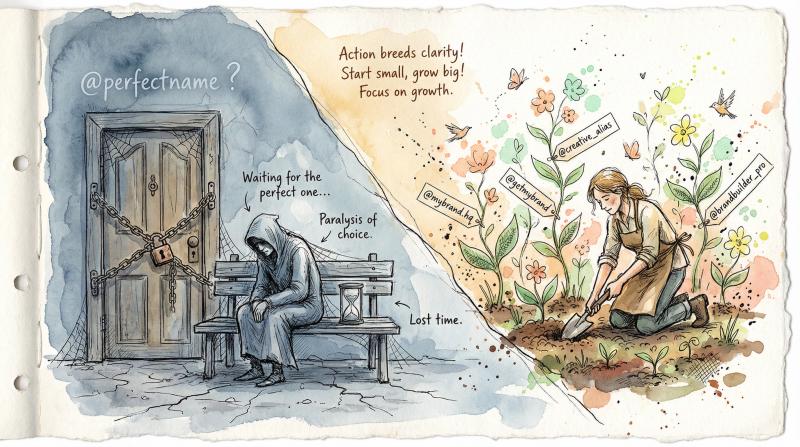
Waiting for an inactive account to free up almost never works fast enough to be worth it. You're better off choosing one of the creative variations described earlier and getting started immediately. Building your Instagram presence now with a modified username is smarter than sitting idle waiting for a specific handle that might never become available.
Why You Should Never Buy Instagram Usernames (It's Against ToS)
Instagram's Terms of Service explicitly state:
"You can't sell, license, or purchase any account or data obtained from us or our Service, including attempts to buy, sell, or transfer any aspect of your account (including your username)."
Buying usernames is against the rules. Period.
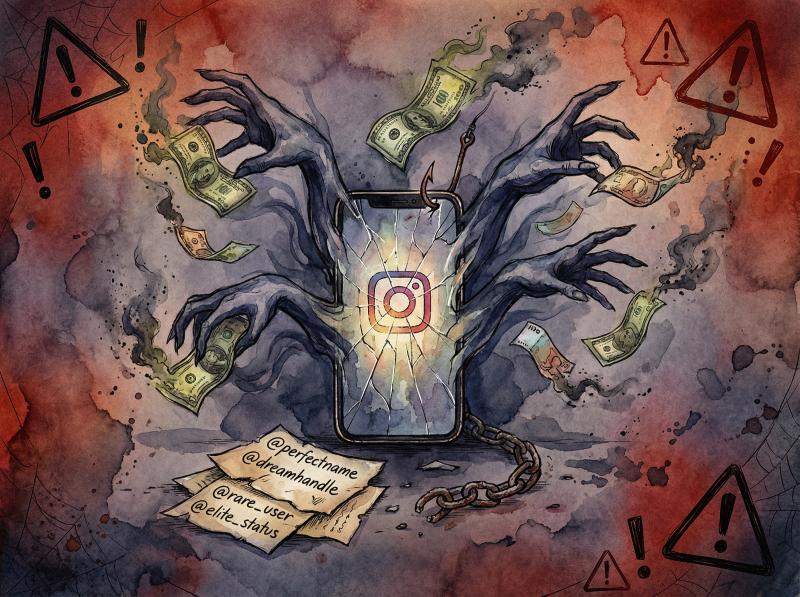
Why Buying Instagram Usernames Will Get You Banned
① Your account could get banned.
If Instagram discovers you bought a username, they can suspend or permanently ban your account. You lose the handle you paid for and potentially lose access to your entire Instagram presence.
② Scams are everywhere.
Research shows that millions of Instagram accounts are fake or bot accounts, many used specifically for scams. Username brokers often take your money and deliver nothing. You have zero protection because the transaction itself violates Instagram's policies.
③ Meta is actively enforcing this.
In 2025, Meta filed lawsuits specifically targeting username sellers and account reinstatement services. Enforcement is getting stricter, not looser.
④ You could lose hundreds of dollars.
Username sellers frequently charge $200-$500 or more for desirable handles. When the scam artist disappears or Instagram bans the account, your money is gone forever.
Instagram Username Scam Warning Signs
① Sellers pressuring you to act immediately
② Requests for payment via non-refundable methods (cryptocurrency, wire transfers, gift cards)
③ Promises that sound too good to be true ("guaranteed delivery," "Instagram-approved transfer")
④ Accounts with minimal history suddenly offering username sales
If you can't claim a username through Instagram's official methods, pick a creative variation. Don't risk your account, your money, or your reputation by trying to buy one. It's not worth it.
How to Get the Same Username on All Social Media Platforms
Once you find an available Instagram handle, don't stop there. Claim the same username (or as close as possible) on every social platform you plan to use.
Why cross-platform consistency matters:
Your audience doesn't stay on just one platform. They follow you on Instagram, watch your YouTube videos, engage with your TikToks, and read your LinkedIn posts. If your handle is @brandname on Instagram but @brandname_official on TikTok and @thebrandname on Twitter, people get confused. Some won't find you at all.
Benefits of unified handles:
- Reduces support overhead (fewer people asking "What's your TikTok?")
- Lowers mis-tags and incorrect mentions
- Makes marketing campaigns cleaner across platforms
- Easier for your audience to find and follow you everywhere
- Stronger brand recognition and recall
How to do it:
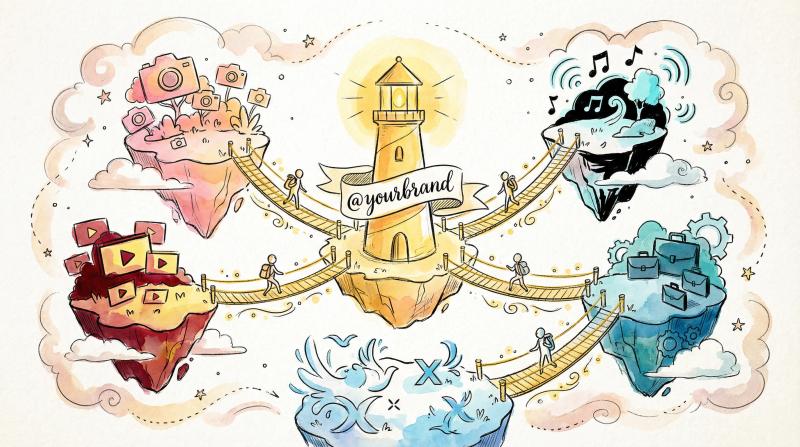
Use Post bridge's handle checker or similar cross-platform tools to verify availability on Instagram, TikTok, Twitter (X), YouTube, and LinkedIn simultaneously. If your preferred handle is available everywhere, claim it immediately on each platform.
If the exact name isn't available on every platform, use the same variation consistently. For example: @mybrandhq on Instagram, @mybrandhq on TikTok, @mybrandhq on Twitter. This creates pattern recognition even when the exact root name isn't available.
Pro tip:
Even if you're not actively using a platform yet, consider claiming your username there anyway. Securing your handle on YouTube, LinkedIn, or Twitter now prevents someone else from taking it later when you're ready to expand.
Username Rules on Each Platform
A name that works on Instagram can be impossible somewhere else. Check the rules before you fall for a name:
| Platform | Length | Allowed characters |
|---|---|---|
| Up to 30 | Letters, numbers, periods, underscores | |
| TikTok | Up to 24 | Letters, numbers, underscores, periods (not at the end) |
| YouTube | 3 to 30 | Letters, numbers, underscores, hyphens, periods |
| X (Twitter) | Up to 15 | Letters, numbers, underscores only |
| Threads | Same as your Instagram username | Same as Instagram |
| Bluesky | Short handle before .bsky.social, or your own domain | Letters, numbers, hyphens |
The safest choice: 15 characters or fewer, letters and numbers only. That passes every platform's rules. If it is taken somewhere, add a period or underscore only on the platforms that allow one.
Check Every Platform in One Pass
Bulk checkers such as Namechk search one name across many platforms at once. They are a good first pass, with one caveat: treat "taken" as reliable and "available" as a maybe. Platforms do not offer official availability lookups, so a checker that cannot reach a platform may report a name as free when it is not. Confirm the platforms you care about in each app's own signup or edit-profile screen.
When the Name Is Taken on One Platform
- Claim the exact name everywhere it is free, including platforms you will not use yet. Registering is free; getting a name back from a squatter is not.
- Pick one variation for the platforms where it is taken, and use the same one everywhere it is needed. Do not improvise per platform.
- Mention the variation in your bios so people can find you.
What to Do After You Claim Your Instagram Username
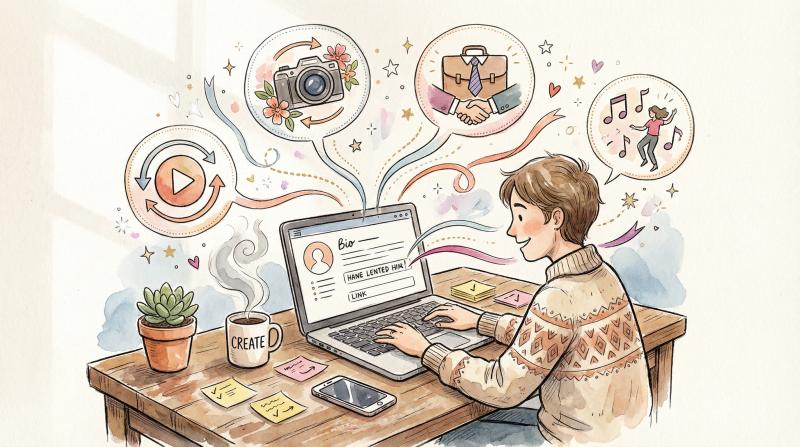
You found an available username, confirmed it in Instagram's system, and claimed it successfully. What now?
How to Complete Your Instagram Profile After Setup
Fill in your display name (this can be different from your username and include spaces, capitals, and special characters). Write a clear, compelling bio that explains who you are and what you do in 150 characters or less. Add a profile photo that represents your brand or personality. Include a link to your website or Post bridge profile.
A complete profile builds trust. People are more likely to follow an account that looks active, professional, and legitimate.
Updating All Social Media Profiles with Your New Username
Update all your social media profiles to match your new Instagram handle. Change your bio on TikTok, Twitter, LinkedIn, and YouTube to reflect your consistent username. Update your website footer, email signature, and marketing materials with your new handle.
Consistency compounds. The more places people see the same username, the more memorable you become.
How to Start Posting Consistently on Instagram
An Instagram account with a great username but zero content isn't worth much. You need consistent posting to build an audience, increase engagement, and establish your presence.
This is where Post bridge's Instagram scheduler becomes essential.
How Post bridge streamlines your workflow:
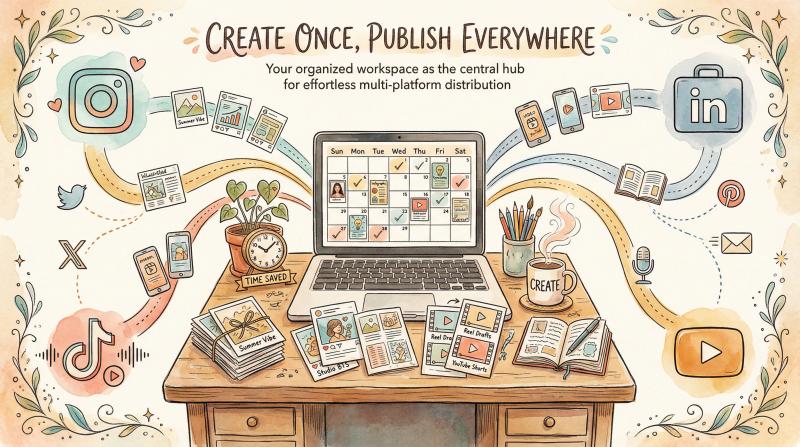
Upload your content once to Post bridge's dashboard. Schedule posts, reels, and carousels in advance for Instagram. Cross-post the same content to TikTok, YouTube Shorts, LinkedIn, and other platforms simultaneously from one interface. Save hours every week by eliminating manual posting to each platform individually.
Why this matters for new accounts:
Instagram's algorithm favors accounts that post consistently. Sporadic posting (once today, nothing for three weeks, then two posts tomorrow) doesn't build momentum. Post bridge lets you batch-create content and schedule it to publish at optimal times, creating the consistent rhythm Instagram rewards.
Practical example:
Spend one afternoon creating a month's worth of content. Upload everything to Post bridge. Schedule posts to publish at the best times for your audience (Post bridge's scheduler handles this). Then forget about it and focus on engagement, strategy, and creating your next batch of content. Your Instagram grows on autopilot.
Free Instagram Content Tools to Boost Engagement
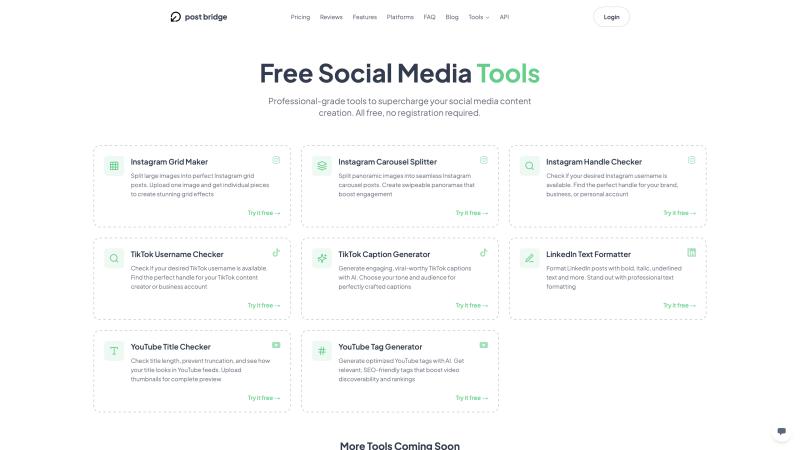
Post bridge offers free Instagram tools beyond the username checker:
- Instagram Carousel Splitter – Prepares carousel posts by splitting images perfectly
- Instagram Grid Maker – Plans cohesive 3×3 grid layouts for your profile
- LinkedIn Text Formatter – Adds bold, italic, and underline formatting for LinkedIn posts
These tools help you create more polished, professional content that stands out and drives engagement.
Scaling Your Content Across Multiple Social Platforms
Don't limit yourself to Instagram. Your audience is everywhere. Use Post bridge to distribute your content across TikTok, YouTube Shorts, LinkedIn, Facebook, and more platforms from a single dashboard.
Why multi-platform matters:
Your Instagram content can perform just as well (or better) on TikTok and YouTube Shorts with zero extra effort. Cross-posting multiplies your reach without multiplying your workload. You're creating once and distributing everywhere, maximizing ROI on every piece of content you produce.
Post bridge handles this automatically. Upload once, select your connected accounts, schedule across platforms. Done.
Learn more about effective multi-platform strategies and scaling your content distribution.
Instagram Username Availability Checklist (Step-by-Step)
Here's your complete step-by-step process for finding and securing the perfect Instagram username:
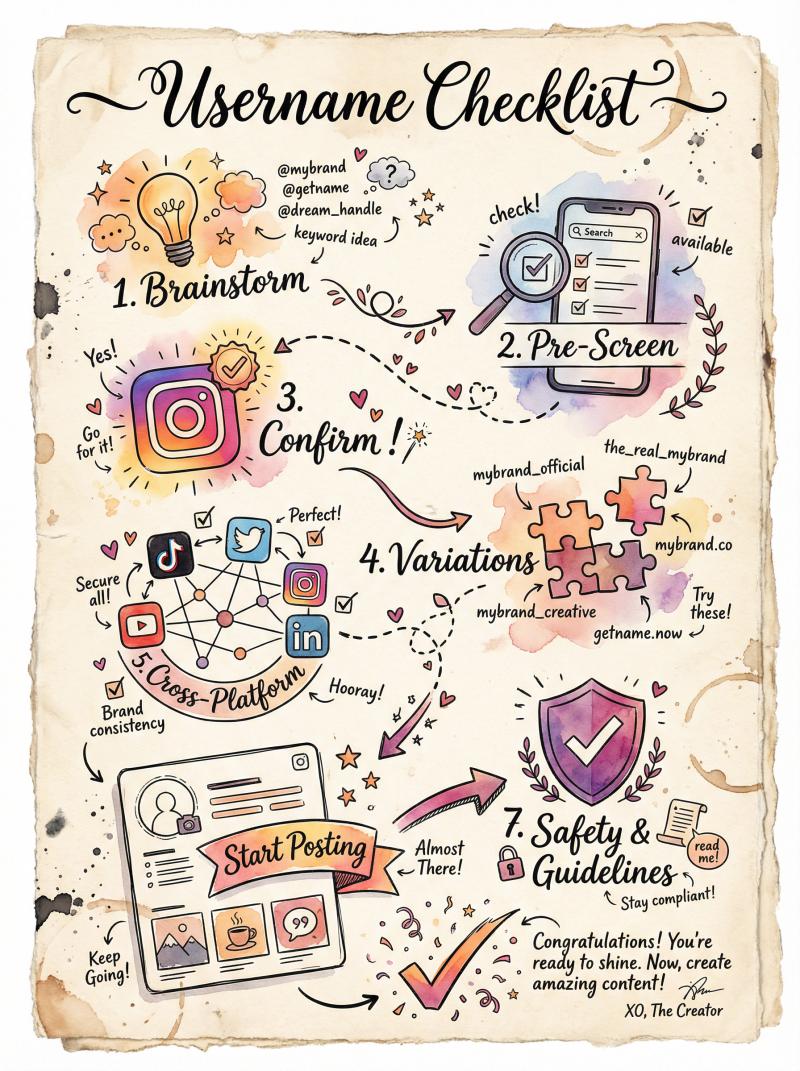
① Brainstorm 5-10 Potential Usernames
Think about your brand name, personal name, or business identity. Create variations using qualifiers, separators, keywords, or abbreviations. Make sure each option follows Instagram's rules (30 characters, only letters/numbers/periods/underscores).
② Pre-Screen with Post bridge's Free Handle Checker
Visit Post bridge's Instagram Handle Checker and test all your username ideas quickly. This saves time by eliminating unavailable options before you manually check each one.
③ Confirm Availability in Instagram's Native System
For your top choice, go to Instagram → Edit profile → Username (or create a new account). Type your desired username. Instagram's system will tell you definitively if it's available. If yes, save it immediately. If no, return to your pre-screened alternatives.
④ Apply Variations If Your First Choice Is Taken
Use the strategies outlined earlier: add qualifiers (get, try, hq), insert separators (. or _), include geographic or category keywords, abbreviate naturally, or add meaningful numbers. Test each variation until you find an available option you're happy with.
⑤ Lock Down the Same Handle on Other Platforms
Check availability on TikTok, Twitter (X), YouTube, LinkedIn, and any other platforms you plan to use. Claim your username everywhere to maintain brand consistency. Even if you're not active on a platform yet, securing your handle prevents others from taking it.
⑥ Complete Your Profile and Start Posting
Fill in your bio, add a profile photo, and include a link to your website or Post bridge profile. Then start creating content consistently using Post bridge's scheduler to automate posting and save time.
⑦ Stay Within Instagram's Guidelines
Never buy usernames. Don't impersonate others. Avoid misleading usernames. If you change your handle, remember you can only change it twice within a 14-day period. After that window, your old username could become available to someone else.
Start Building Your Instagram Presence Today
Your Instagram username is the foundation of your social media presence. Getting it right makes everything else easier: people find you quickly, remember you more easily, and trust you more completely.
The process of checking username availability is straightforward when you use the right methods. Start with Post bridge's free checker for speed, confirm with Instagram's native system for accuracy, and apply creative variations if your first choice is taken. Secure the same handle across every platform, then focus on what actually matters: creating great content and building an engaged audience.
Once your username is locked in, Post bridge makes it easy to grow your presence across Instagram and beyond. Schedule posts, cross-post to multiple platforms, and maintain the consistency that Instagram's algorithm rewards. Stop wasting hours on manual posting and start building the audience you deserve.
Ready to check your username and start growing? Try Post bridge's free Instagram Handle Checker now and claim your perfect handle before someone else does.